
Phanes
Commands
A complete list of all Phanes commands and how to use them.
On this page
- All Commands
- Discord ! commands
- Price Queries
- Chart Queries
- Timestamp on Chart
- Prediction Markets
- First Call Bubbles
- Custom Theme
- Top Holders / Wallet List
- Holder filters
- KOL holders
- Technical Read
- Recycled X Accounts
- Search Tokens
- Search Polymarket
- Heatmaps
- Trenches
- Community Take Overs
- Runners
- GitHub Repo Analysis
- Domain Lookup
- Dex Paid
- Narrative
- Thesis
- Coin Socials
- Calendar
- Earnings
- Global Market Status
- News Summary
- Summarize/Translate
- Value Calculations
- Simple Price Queries
- Top Traders
- Wallet Stats
- Deployer
- Quick Task Button
- Custom Filters
- Language
- Group Commands
- Commands
- Settings
#All Commands
Every Phanes command, what it does, and where it works. Search the table to find one, then follow the link for the full reference.
| Command | What it does | Where | Platform |
|---|---|---|---|
/c |
Chart a coin, stock, FX pair or prediction market | DM · Group | |
/ctheme |
Set a custom chart theme | DM · Group | |
/th |
Top 10 holders of a token | DM · Group | |
/ta |
Multi-timeframe technical read with an overall verdict | DM · Group | |
/p |
Simplified price query | DM · Group | |
/i |
Top 10 coins by market cap | DM · Group | |
/v |
Convert an amount of a token to its value | DM · Group | |
/hm |
Crypto market heatmap | DM · Group | |
/hmc |
Crypto sector heatmap | DM · Group | |
/hms |
US stock market heatmap | DM · Group | |
/rekt |
Liquidations map for the last 24h | DM · Group | |
/chains |
Chains ranked by 24h on-chain volume | DM · Group | |
/runners |
Biggest coins launched in the last 1d / 3d / 7d | DM · Group | |
/markets |
Which world stock markets are open right now | DM · Group | |
/cal |
High-impact economic events | DM · Group | |
/earnings |
Upcoming US earnings, or any company by ticker | DM · Group | |
/today |
AI summary of market-moving news (Discord: /news) |
DM · Group | |
/tw |
Up to 10 of the top 100 holders worth $50k+ | DM · Group | |
/tt |
Top traders of a token over a period | DM · Group | |
/ws |
Trading analytics for any wallet | DM · Group | |
/dev |
A deployer and the coins they have deployed | DM · Group | |
/dp |
Whether a token has paid for DexScreener | DM · Group | |
/nar |
A token's story and origin | DM · Group | |
/thesis |
What Fomo holders wrote about a token | DM · Group | |
/soc |
A token's official social links | DM · Group | |
/s |
Search tokens by name or symbol | DM · Group | |
/tren |
Launchpad activity per chain, or all chains at once | DM · Group | |
/ctos |
Community take-overs from the last 24h | DM · Group | |
/x |
Check an X account for reuse and past usernames | DM · Group | |
/xt |
The most-viewed tweets over a timeframe | DM · Group | |
/poly |
Search Polymarket markets | DM · Group | |
/gh |
Analyse a GitHub repository | DM · Group | |
/do |
Vet a website — WHOIS & DNS records | DM · Group | |
/tldr |
Summarize text, an article or a video | DM · Group | |
/tr |
Translate any text | DM · Group | |
/lb |
The group's leaderboard of top callers | Group | |
/calls |
The last 20 calls, or a live screener | Group | |
/pnl |
A shareable PNL image for a coin | Group | |
/gpnl |
A group-wide PNL image | Group | |
/fc |
Who called a coin first | Group | |
/elb |
Export the leaderboard to Excel | Group | |
/dapp |
Open the group on the Phanes DApp | Group | |
/qt |
Choose the Quick Task buttons under a query (Discord: in /settings) |
DM · Group | |
/fix |
Map a $symbol to a specific contract | DM · Group | |
/lang |
Set the interface language | DM · Group | |
/settings |
Open the group settings panel | Group · admin | |
/alerts |
Set up the server's token alerts | Group · admin | |
/xret |
Pick which X-return milestones alert | Group · admin | |
/xfeed |
Follow X handles for tweet alerts | Group · admin | |
/yt |
Manage YouTube video alerts | Group · admin | |
/pnlbg |
Set a custom PNL card background | Group · admin | |
/dd |
Set drawdown alert thresholds | Group · admin | |
/help |
The in-chat help menu | DM · Group |
#Discord ! commands
On Discord, these commands also work with a ! prefix. They run the same code as the slash version and
give the same answer — you just type the options instead of picking them from a menu.
| Prefix | Same as | Example |
|---|---|---|
!c |
/c |
!c btc 1d sr |
!v |
/v |
!v 1% pepe |
!dp |
/dp |
!dp wif |
!th |
/th |
!th wif kol |
!tw |
/th (wallets) |
!tw wif 7d |
!dev |
/dev |
!dev wif |
!nar (or !lore) |
/nar |
!nar wif |
!tldr |
/tldr |
!tldr <link> — or reply to a message with !tldr |
Every other Discord command is slash-only.
#Price Queries
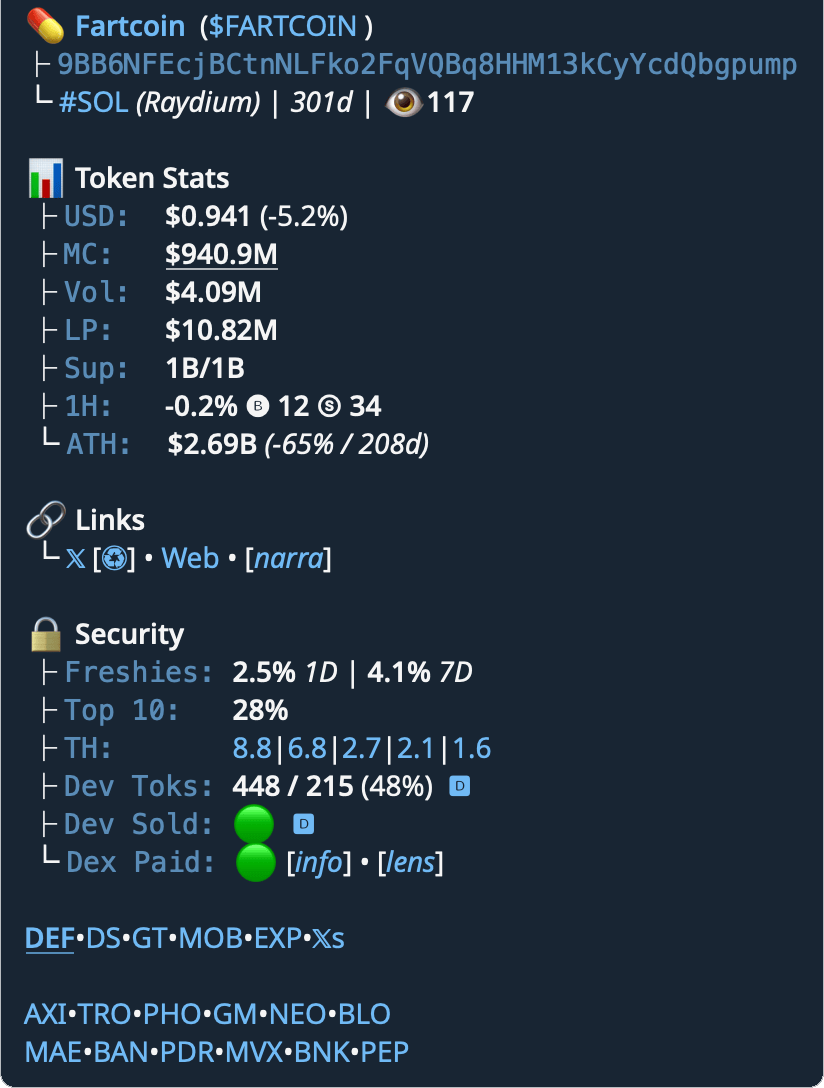
Phanes monitors all messages in chat and if a ticker, token contract or LP address is mentioned, it will trigger Phanes to spawn an embedded message.
$sol$fartcoin sol(specify the chain, can be anything like eth, sol...)0x6982508145454Ce325dDbE47a25d4ec3d2311933https://dexscreener.com/ethereum/0xa43fe16908251ee70ef74718545e4fe6c5ccec9f
- Add a
.in front of the query and Phanes will ignore it - Add a
.at the end of the query and Phanes will send a trimmed version - Add a
,at the end of the query and Phanes will send a detailed version
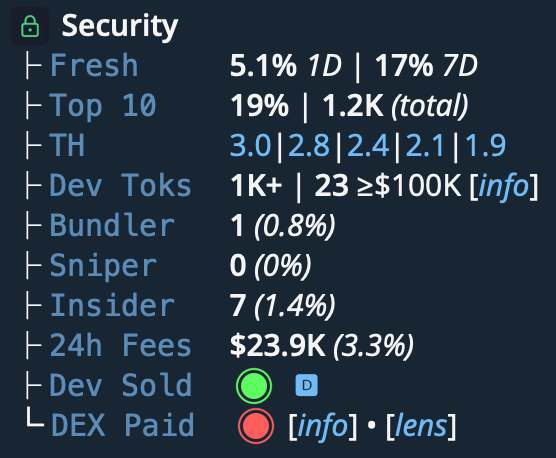
- Fresh: 1 day and 7 days old wallet trades
- Top 10: Top 10 holders % and total holders count
- TH: Top 5 holders (excluding pools)
- Dev Sold: 🟢 = sold; 🔴 = didn't sell
- Dex Paid: 🟢 = DexScreener Paid; 🔴 = not paid
The security section is only displayed for coins less than 14 days old.
For older coins, ask for the detailed version: $fartcoin,
#Extended Security Tab
The detailed version (a , at the end of the query) adds these rows:
- Dev Toks: how many tokens the deployer has launched, and how many of them reached a $100K market cap. On coins less than 14 days old it also shows without the comma, when the deployer has launched more than one token. Tap info for the full Deployer record.
- Bundlers: wallets executing 4+ coordinated buys within the same block, useful for spotting synchronized accumulation.
- Snipers: wallets buying within 4 seconds of the first swap, highlighting bots and ultra-fast traders at launch.
- Insiders: Phanes counts a wallet as an insider when one of these is true:
- EVM chains
- Funded by the creator: the creator's wallet sent this wallet its first funds.
- Sent by the creator: this wallet received the token straight from the creator.
- Sent by an insider: this wallet received the token from a wallet already counted as an insider.
- Solana
- Funded by the creator: as on EVM chains.
- Creator in the transaction: the creator signed or sent the transaction that gave this wallet the token, outside a DEX trade.
- Launchpad transfer: this wallet got a launchpad token outside a swap and did not send tokens back in the same transaction.
- Note:
- Once a wallet is tagged as a bundler, sniper, or insider, that designation remains consistent across all tokens.
- Methodologies for identifying this data vary between platforms, and some classifications can be highly subjective.
- EVM chains
- 24h Fees: captures the full economic cost of activity on-chain. Not just the trading fee a pool charges, but everything paid to network validators, block builders, and (on rollups) the L1 chain that posts the data.
| Emoji | Definition |
|---|---|
 |
Trending indicator |
 |
24h query count |
 |
New coin |
#Chart Queries
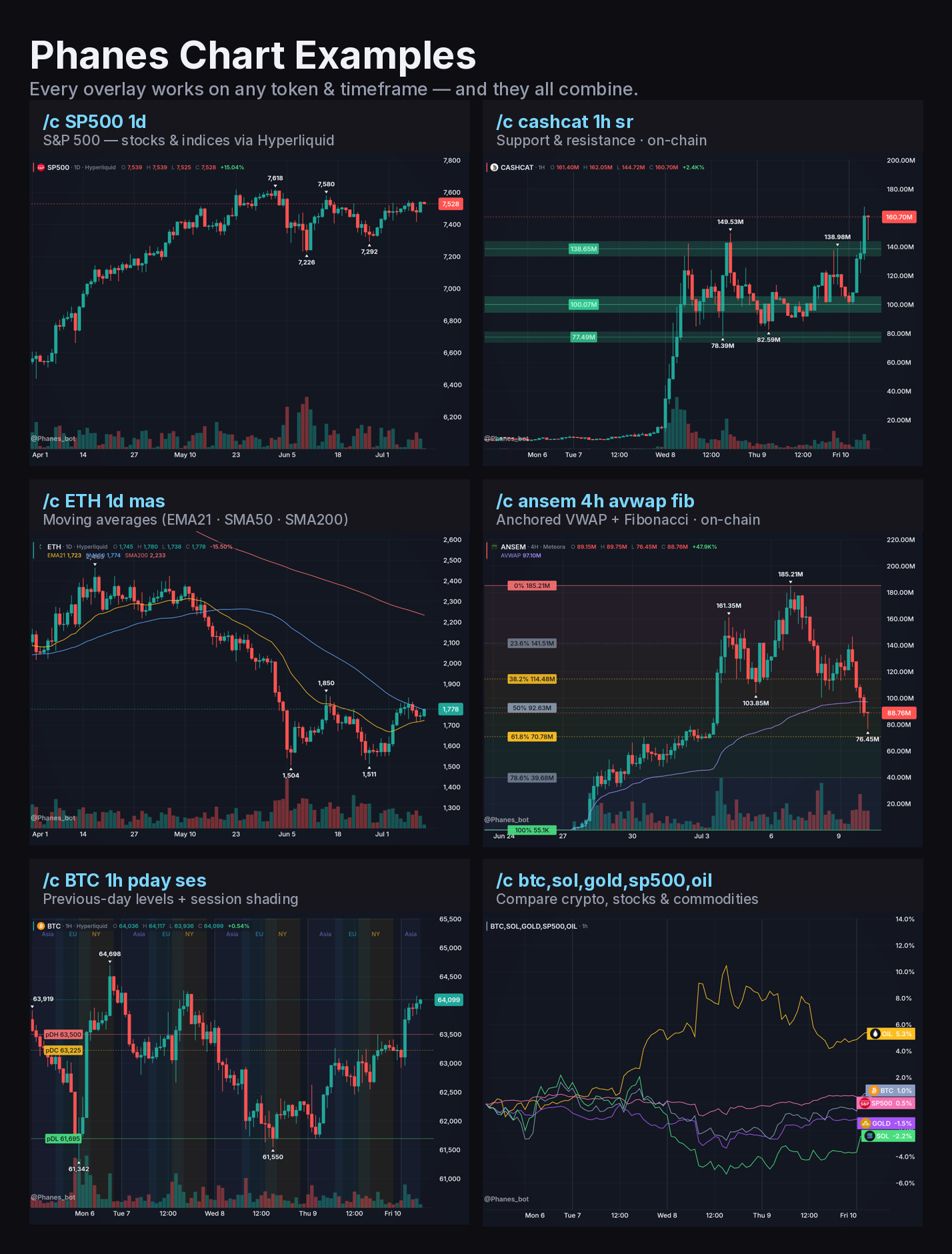
Chart almost anything with /c — coins, stocks, FX, and prediction markets — with technical overlays layered on top.
Syntax
/c SYMBOL [INTERVAL] [FLAGS]
Type /c help in any chat to see every interval, flag, and feed inline.
#Intervals
1m · 5m · 15m · 30m · 1h · 4h · 12h · 1d · 1w
On-chain coins also support 15s and 30s. Omit the interval and Phanes picks a sensible default per asset.
#Feeds
Phanes auto-selects the source — Hyperliquid if the symbol is listed there (SOL, BTC, TSLA, GOLD…), then Binance, then Bybit, otherwise the on-chain DEX feed. A market listed for less than 30 days gives way to an older one. Force a source with a suffix:
| Suffix | Source |
|---|---|
:dex |
Force on-chain DEX |
:hl |
Hyperliquid |
:bn |
Binance |
:bb |
Bybit |
:okx |
OKX |
:kr |
Kraken |
:ub |
Upbit |
:t |
TradFi — Yahoo Finance (stocks, FX, futures) |
Example: /c BTC:bn 4h charts BTC from Binance.
#Overlays
Add any combination of flags after the symbol / interval:
| Flag | Overlay |
|---|---|
sr | Support / resistance bands |
emaN / smaN | Custom moving averages |
mas | Moving averages (EMA21 · SMA50 · SMA200) |
vp | Volume profile (VPVR) |
oi | Open interest + funding |
rsi | RSI pane |
liq | Liquidations pane |
lsr | Long / short ratio |
avwap | Anchored VWAP |
vwaph | Anchored VWAP from the swing high |
st | SuperTrend |
fib / fiblh | Fibonacci retracement |
macd | MACD pane (12/26/9) |
bb | Bollinger Bands |
ses | Session shading |
pday | Previous-day levels |
gap | Gap-fill breakouts |
adr | Average daily range |
smc | Smart-money concepts |
% | Swing % moves |
mc | Market-cap scale |
nv | Hide the volume band |
fchm | First-call heatmap |
w | Wide chart |
<wallet> | Mark a wallet's trades |
#Compare & ratio charts
- Compare up to 8 coins on one chart
/c BTC,SOL,ETH- Ratio candles (base ÷ quote)
/c BTC/ETH 1h
#Examples
| Command | What it does |
|---|---|
/c BTC 1h |
BTC, 1-hour candles |
/c ETH 4h ema50 sma25 |
ETH with two custom MAs |
/c SOL avwap sr |
SOL with anchored VWAP + S/R |
/c BTC 1d oi |
BTC open interest + funding |
/c BNB adr gap rsi |
BNB ADR + gap-fill + RSI |
/c BTC 1d % |
Daily BTC with swing % moves |
/c WIF 0x67…UAsg |
A wallet's buys / sells on WIF |
/c BTC,SOL,ETH |
Compare up to 8 coins |
/c BTC/ETH 1h |
Ratio candles |
/c TSLA 1d |
Stocks / commodities |
/c AAPL:t 1d |
Yahoo Finance (stocks, FX, futures) |
#Timestamp on Chart
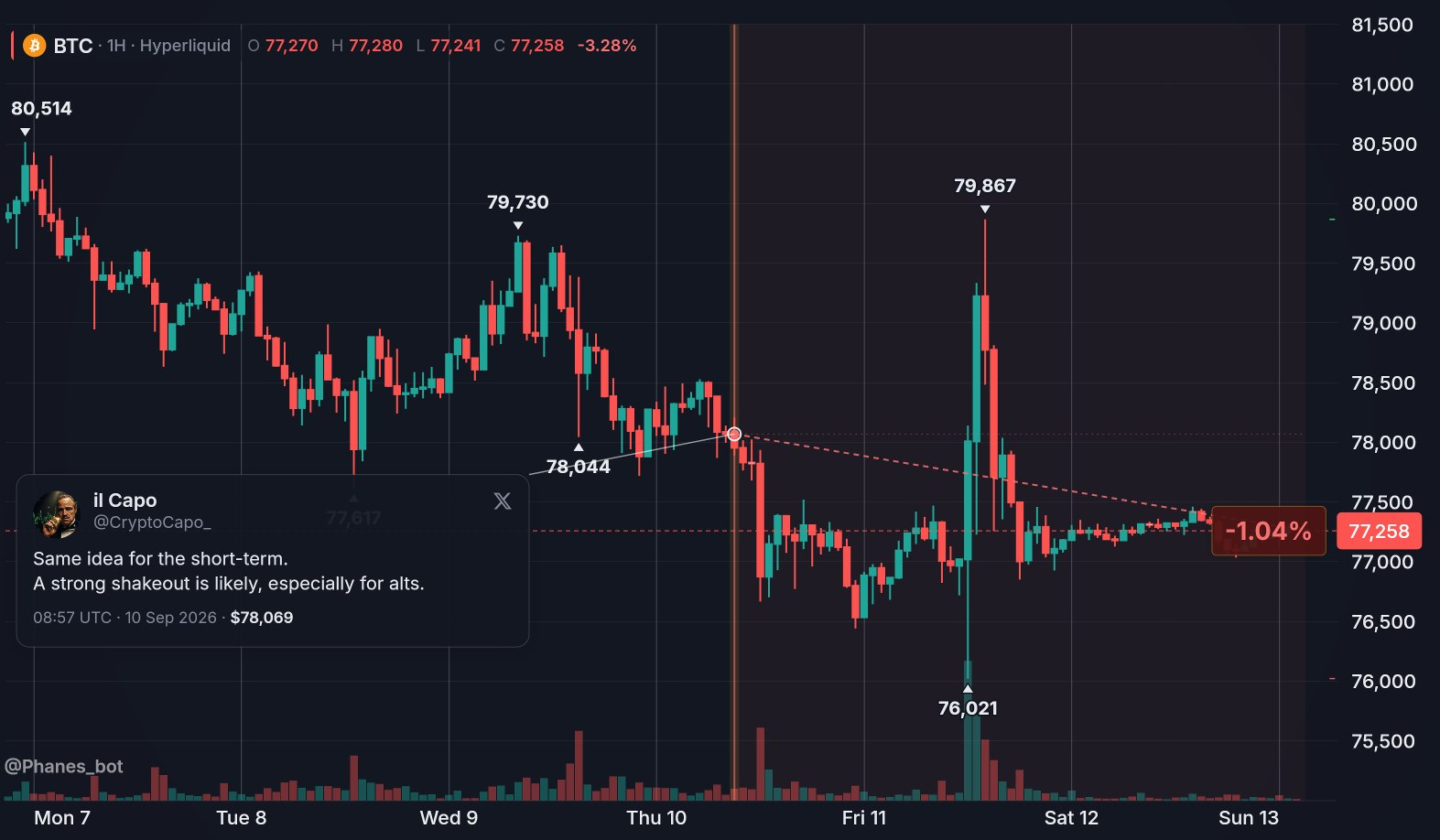
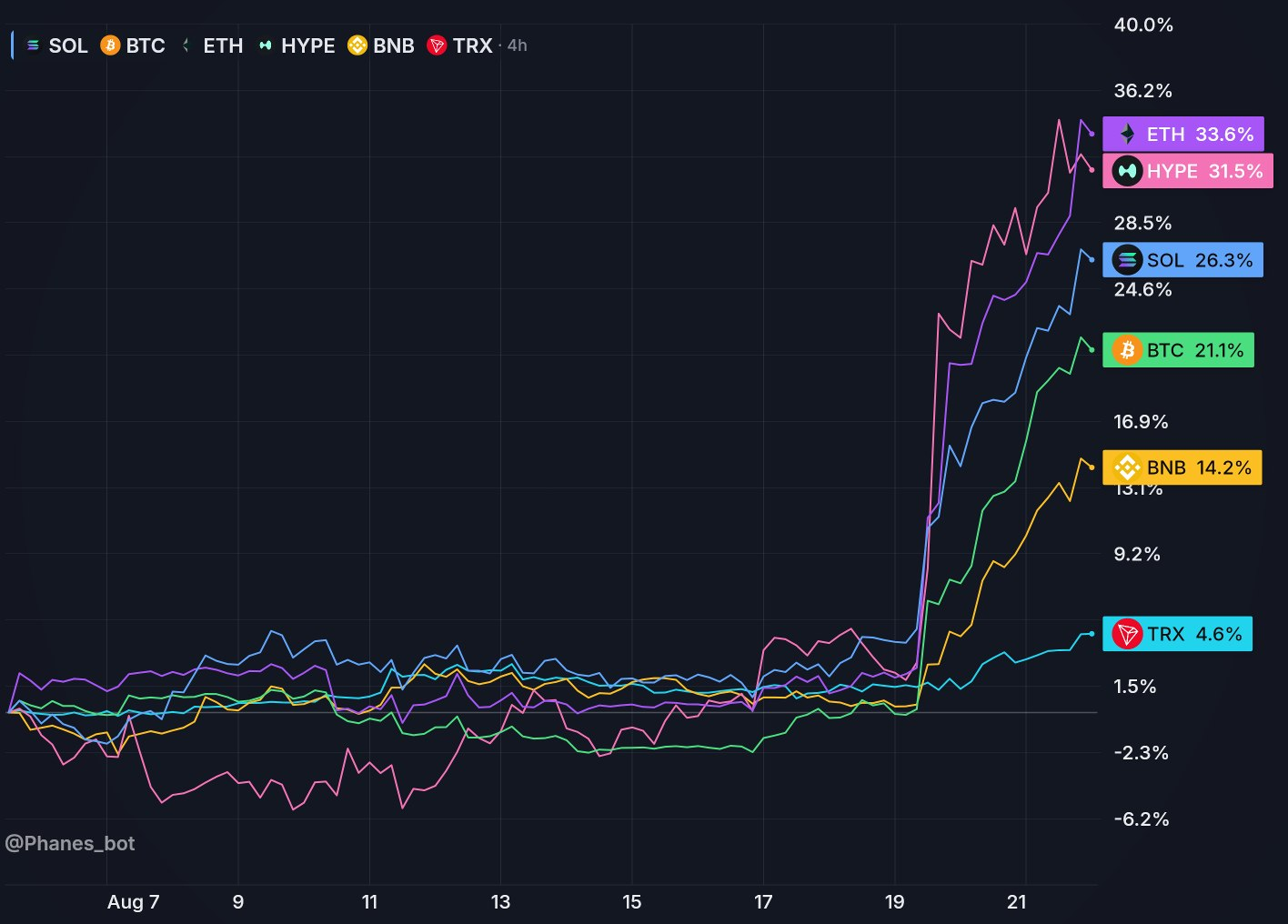
Reply to any message — or include an X (tweet) or Truth Social post link — to pin the chart at that moment and show the move since. Works on coin and prediction-market charts.
On Discord, use !c instead of /c here. A slash command cannot see the message you reply to or a link you paste.
#Telegram Message
- Reply to a message with
/c <symbol>or/c <symbol1,symbol2>
#Tweet
/c <symbol> <tweet_url>
/c btc https://x.com/CryptoCapo_/status/1778710222904734145
The tweet itself is drawn on the chart: a card with the author, the text, the post time and the price at that moment, linked to the point where it was posted. Phanes shows the main tweet only — no images, no quoted post. The same works on a multi-coin chart, e.g. /c btc,eth <tweet_url>.
Phanes will automatically select the optimal timeframe.
#Prediction Markets
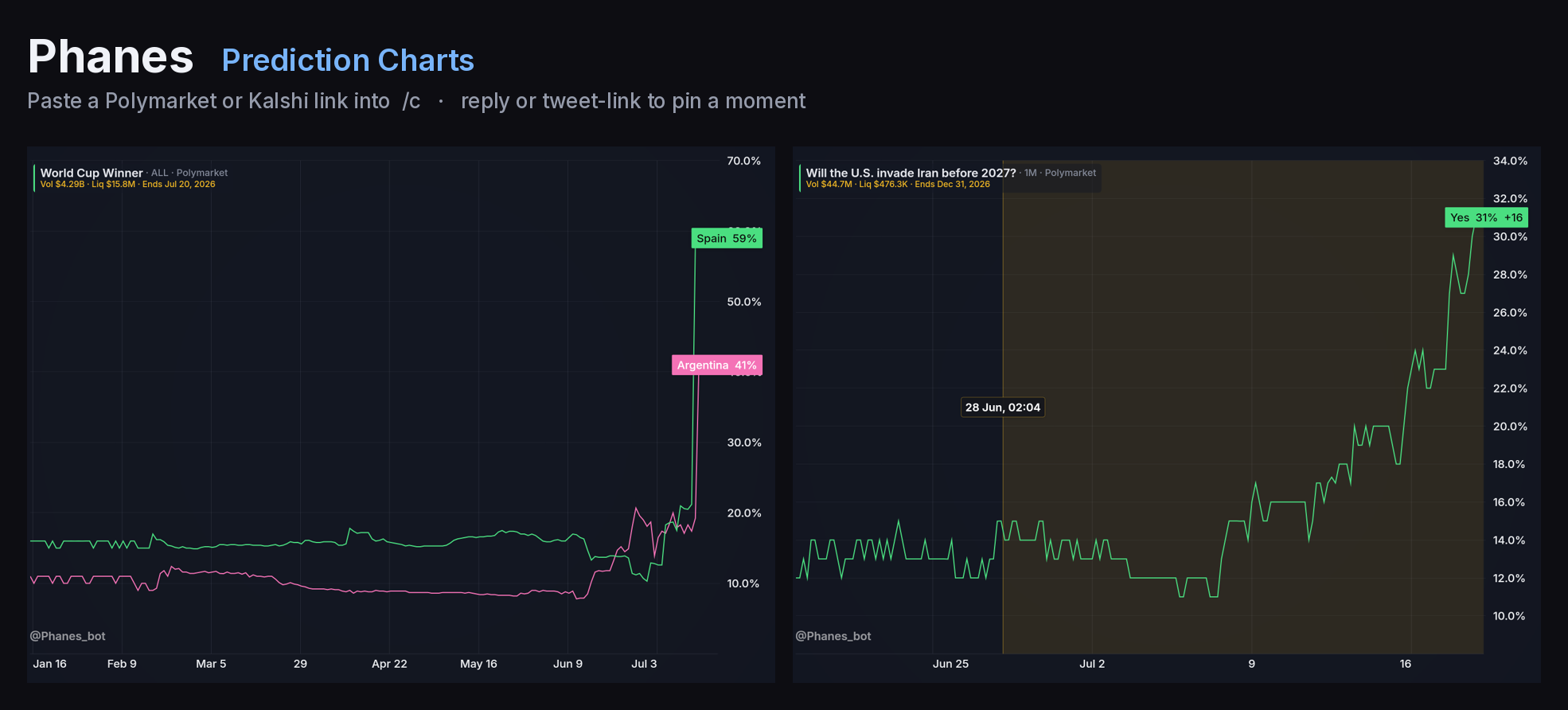
Paste a Polymarket or Kalshi event link to chart its outcome odds over time (1H → ALL buttons).
Reply / tweet timestamps work too — each outcome shows its odds move since (see Timestamp).
/c <poly/kalshi url>
/c polymarket.com/event/…
#First Call Bubbles
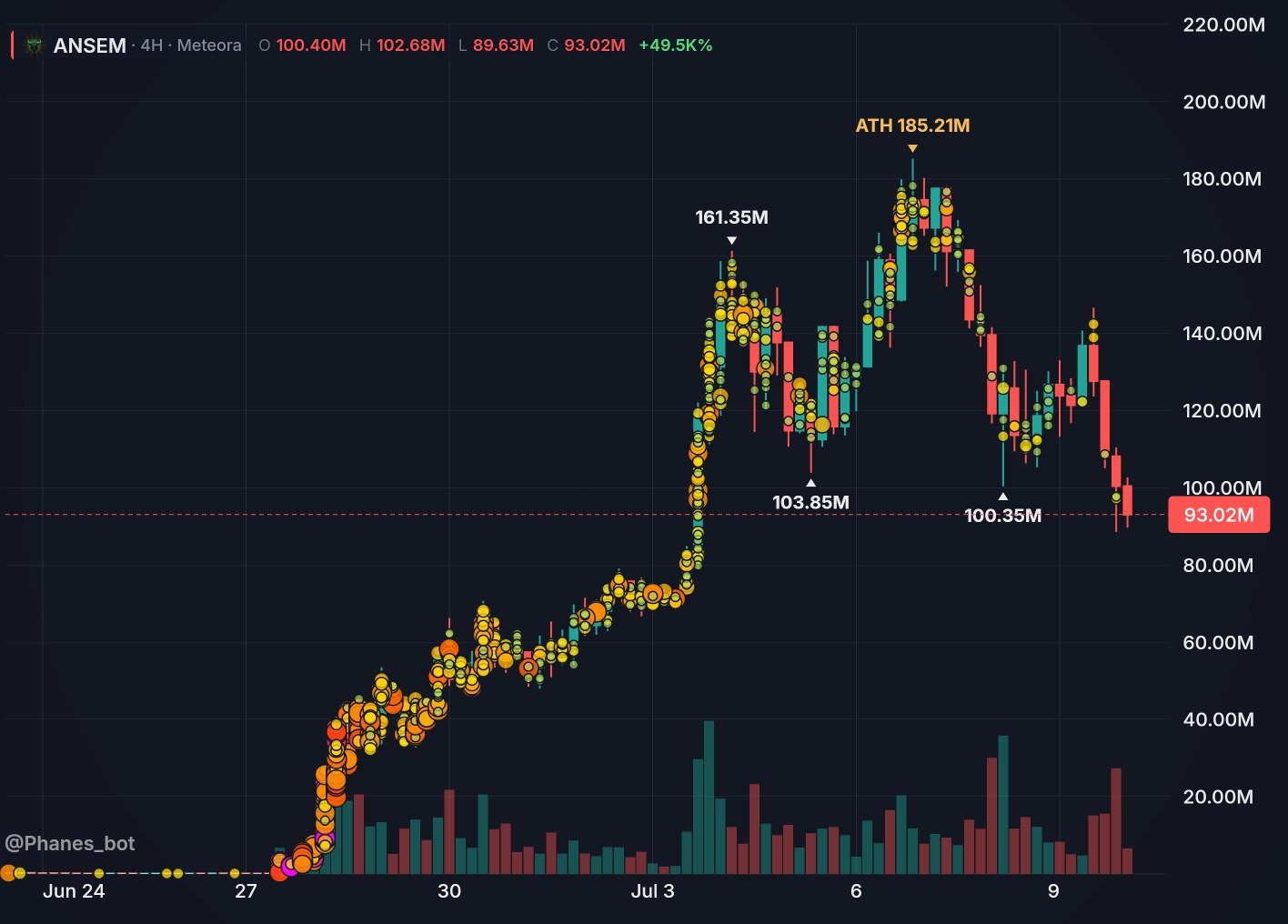
Shows colored bubbles on the chart when groups called a coin, indicating activity levels at different points.
- Magenta/Pink = Extremely hot (viral)
- Red/Orange = Very hot
- Orange/Yellow = Hot
- Yellow/Green = Warm
/c <symbol/ca> fchm
#Custom Theme
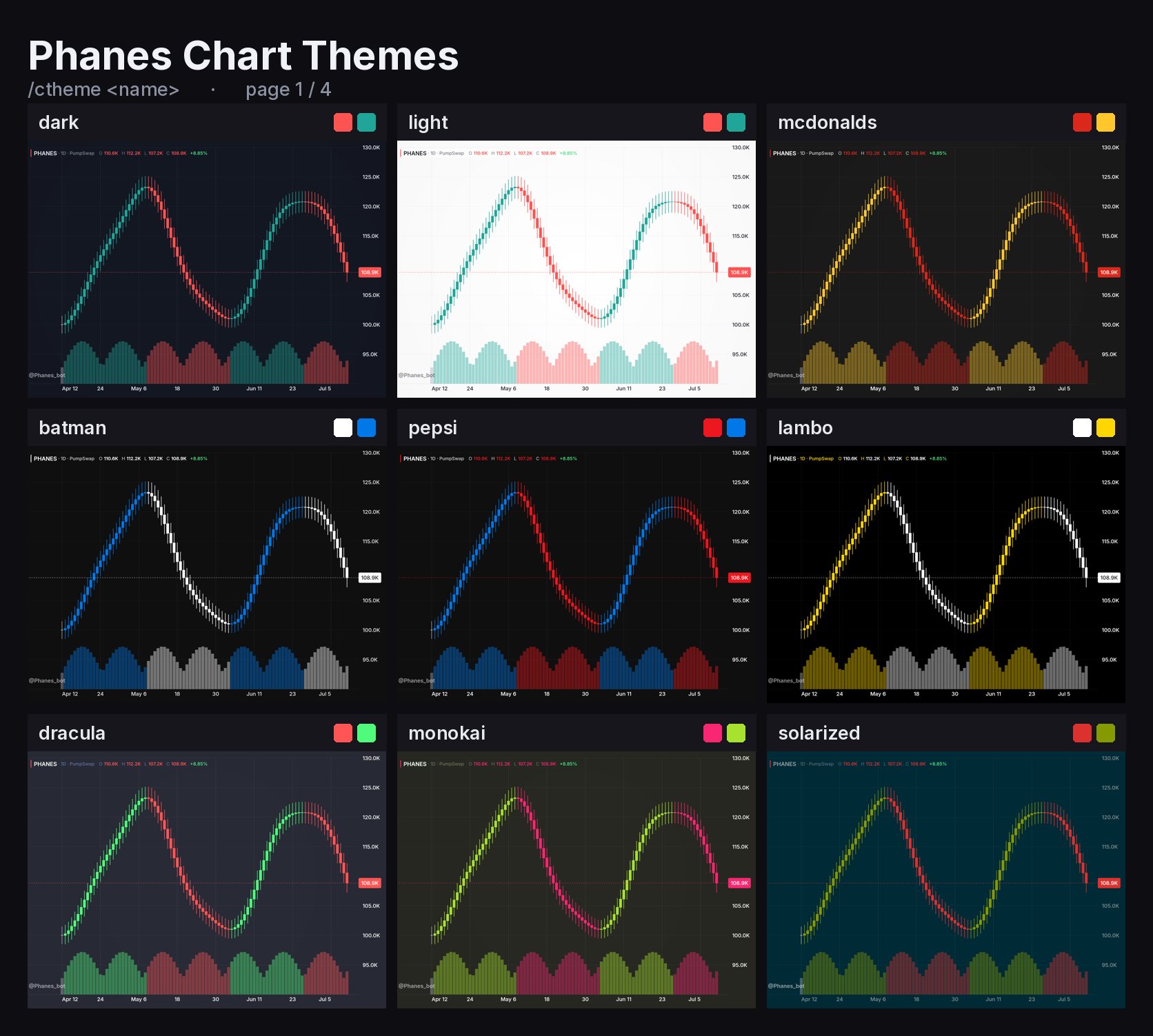
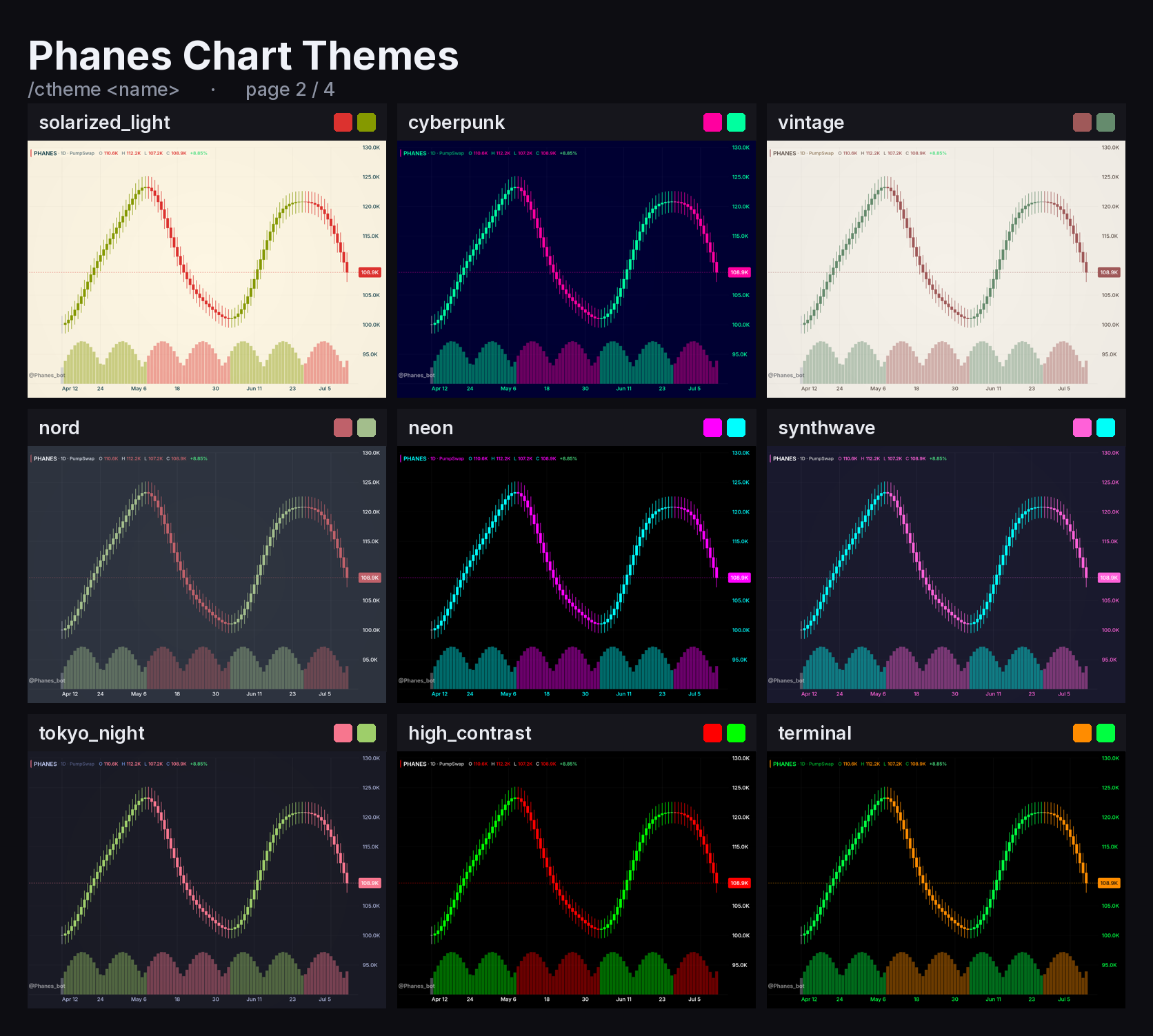
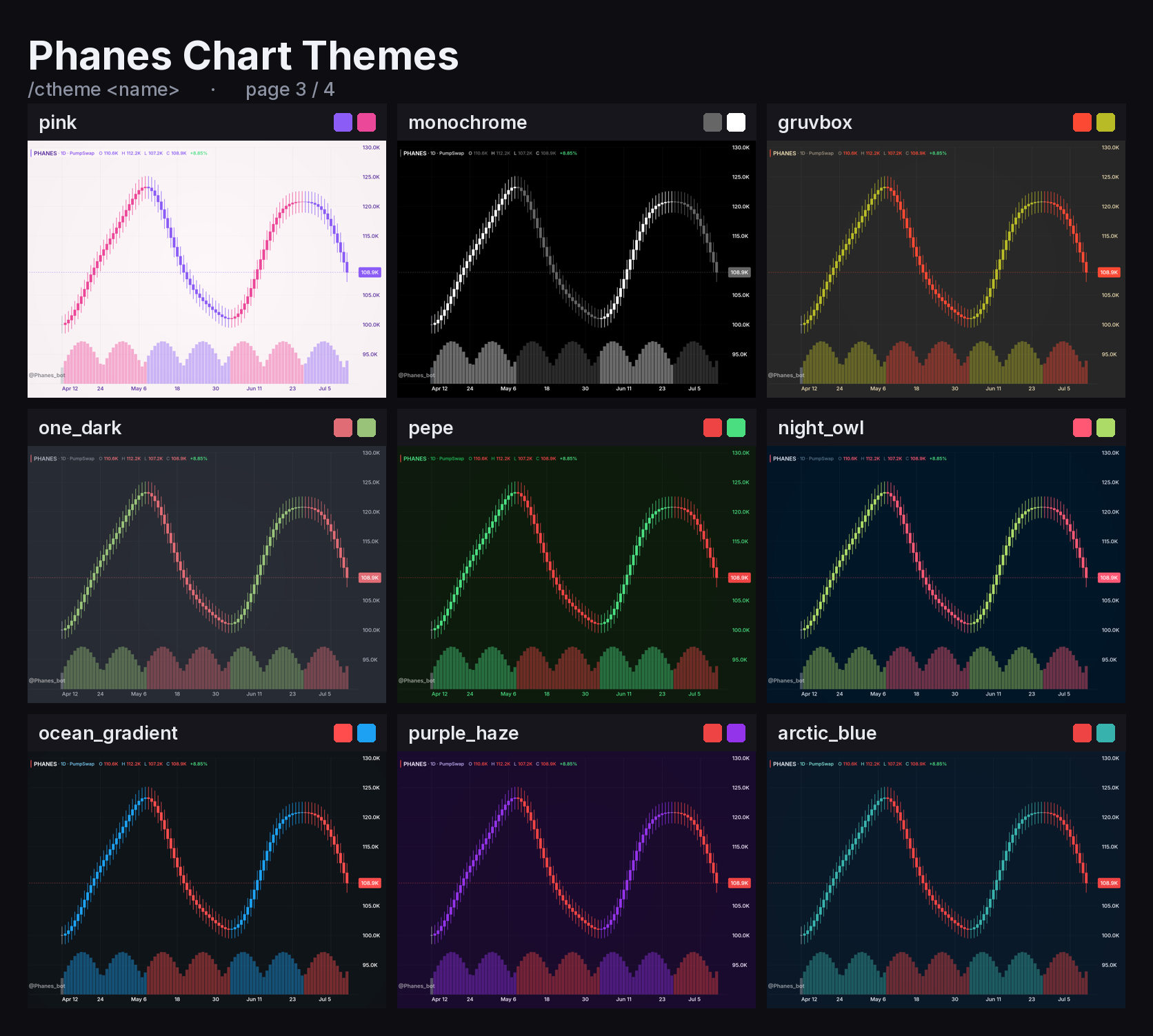
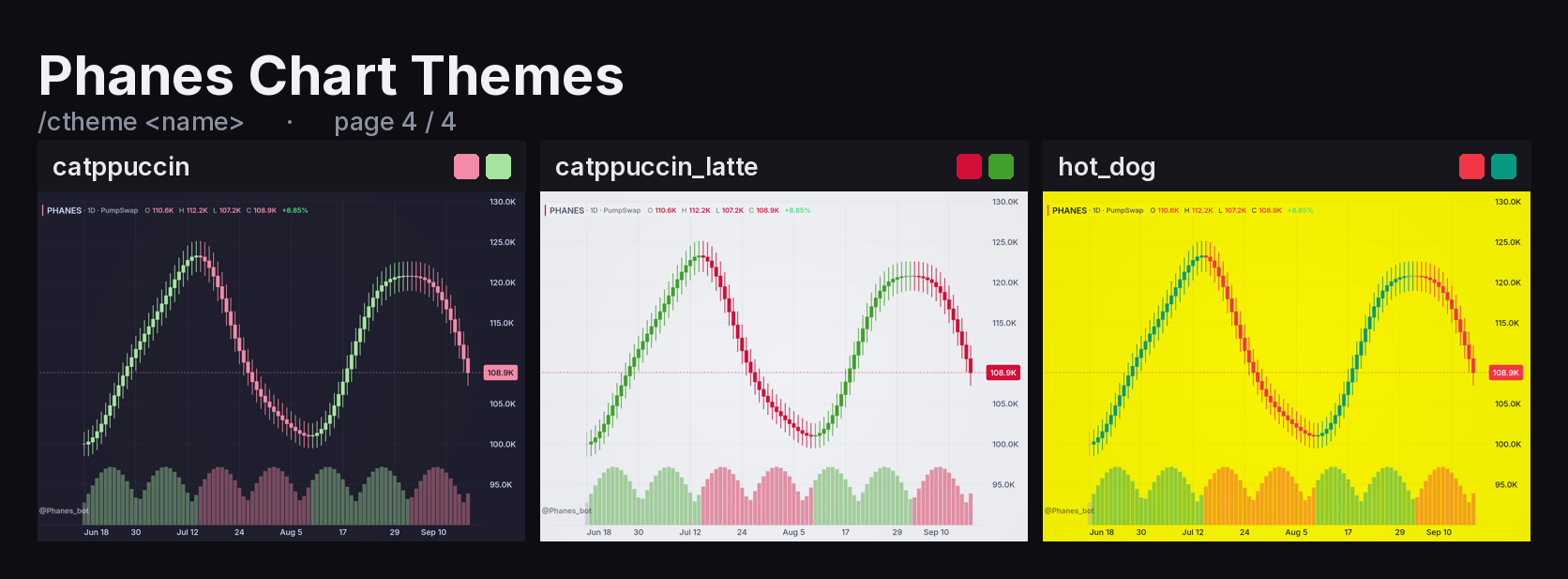
Customize your charts with a unique theme! Use /ctheme.
Available Themes
#Top Holders / Wallet List
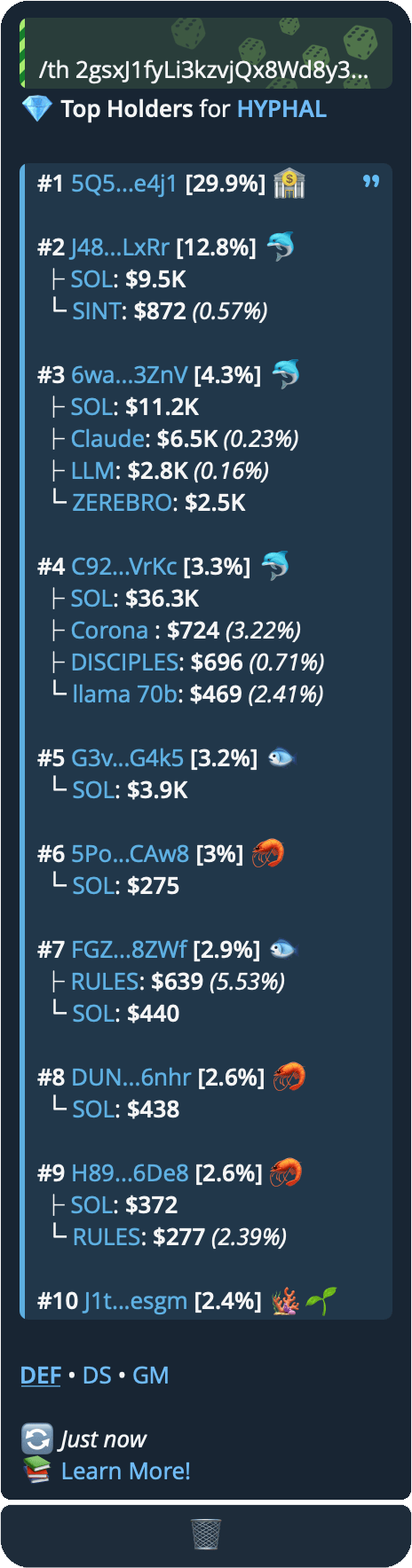
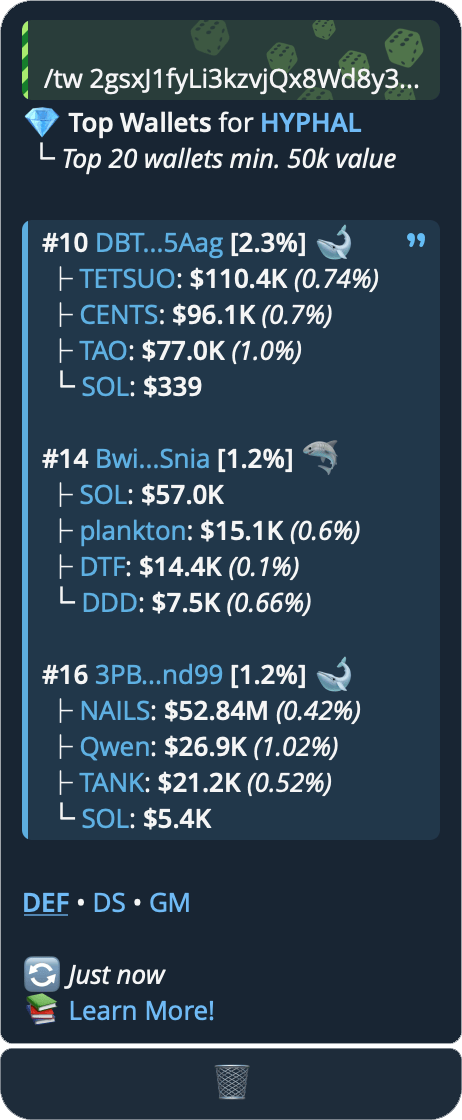
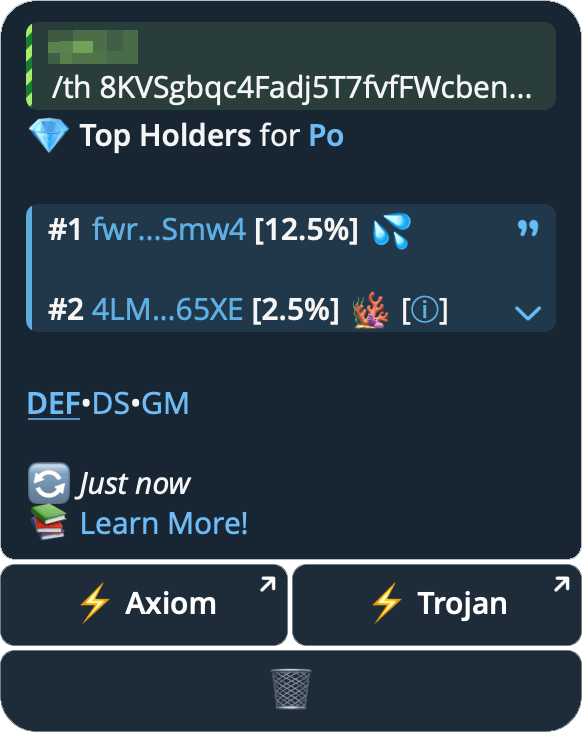
See who holds a token on SOL, BSC, ETH, BASE, Robinhood and more.
| Command | Shows |
|---|---|
/th <ca> |
The top 10 holders |
/tw <ca> |
The biggest wallets: up to 10 of the top 100 holders worth $50k+ |
/th <ca> kol |
Tracked KOLs among the top 100 holders |
/th <ca> <filters> |
Wallets that match your filters (see below) |
Under each wallet you see its three largest other holdings.
On Discord, all of these are /th with the wallets, kol and filters options — or type !th <ca> / !tw <ca> with the same words after the token, exactly as above.
#Holder filters
Add filters after the token, in any order. Phanes reads the top 100 holders and lists up to 10 matches. On top, it shows how many wallets matched and how much of the supply they hold.
| Filter | Keeps wallets | Example |
|---|---|---|
3d |
at most 3 days old — any number of days works | /th <ca> 7d |
>100k |
worth $100k or more | /th <ca> >100k |
<100 |
worth less than $100 | /th <ca> <100 |
fresh |
new and near-empty — the same as 3d <100 |
/th <ca> fresh |
Combine filters with a space: /th <ca> 7d >1k.
- A wallet's worth is what it holds outside this token.
- A plain amount counts as a minimum:
100kis the same as>100k. You can also write$250k,1mor2,500. /twis the same as/th >50k.- You can't combine
kolwith filters.
#KOL holders
kol includes the 200+ top Fomo traders. They are named, marked with 👀 and linked to their Fomo profile. From there, read what they wrote about the coin with /thesis.
Want to be added to the KOL list? Make sure you're listed on KOLscan or GMGN first, then reach out to us.
/th <symbol/ca>
/th <symbol/ca> kol
/th <symbol/ca> fresh
/th <symbol/ca> 7d >1k
/tw <symbol/ca>
Or click the 💎 button on any price query:

| Emoji | Definition |
|---|---|
| 💦 | LP, Pools, Bonding Curve |
| 🏦 | Exchanges (named where known, e.g. Binance, Coinbase) |
| 🔥 | LP burned |
| 🔒 | LP locked |
| 👷 | Deployer |
| 🐀 | Insider |
| 🧻 | Paper Hands |
| 💎 | Diamond Hands |
| 🔫 | Sniper (bought ≤3 blocks after launch) |
| ⬇️ | Token Transfer In |
| 🌱 | New Wallet (created <3 days ago) |
| ‼️ | 2+ holders funded by the same address simultaneously |
| 👀 | Known Wallet/KOL |
| 🤖 | Known Bots |
| 🪸 | <$100 |
| 🦐 | $100 - $1k |
| 🐟 | $1k - $5k |
| 🐬 | $5k - $50k |
| 🦈 | $50k - $200k |
| 🐋 | $200k> |
🪸🌱together often marks a dev-bundled wallet. Find them with/th <ca> fresh.
#Technical Read
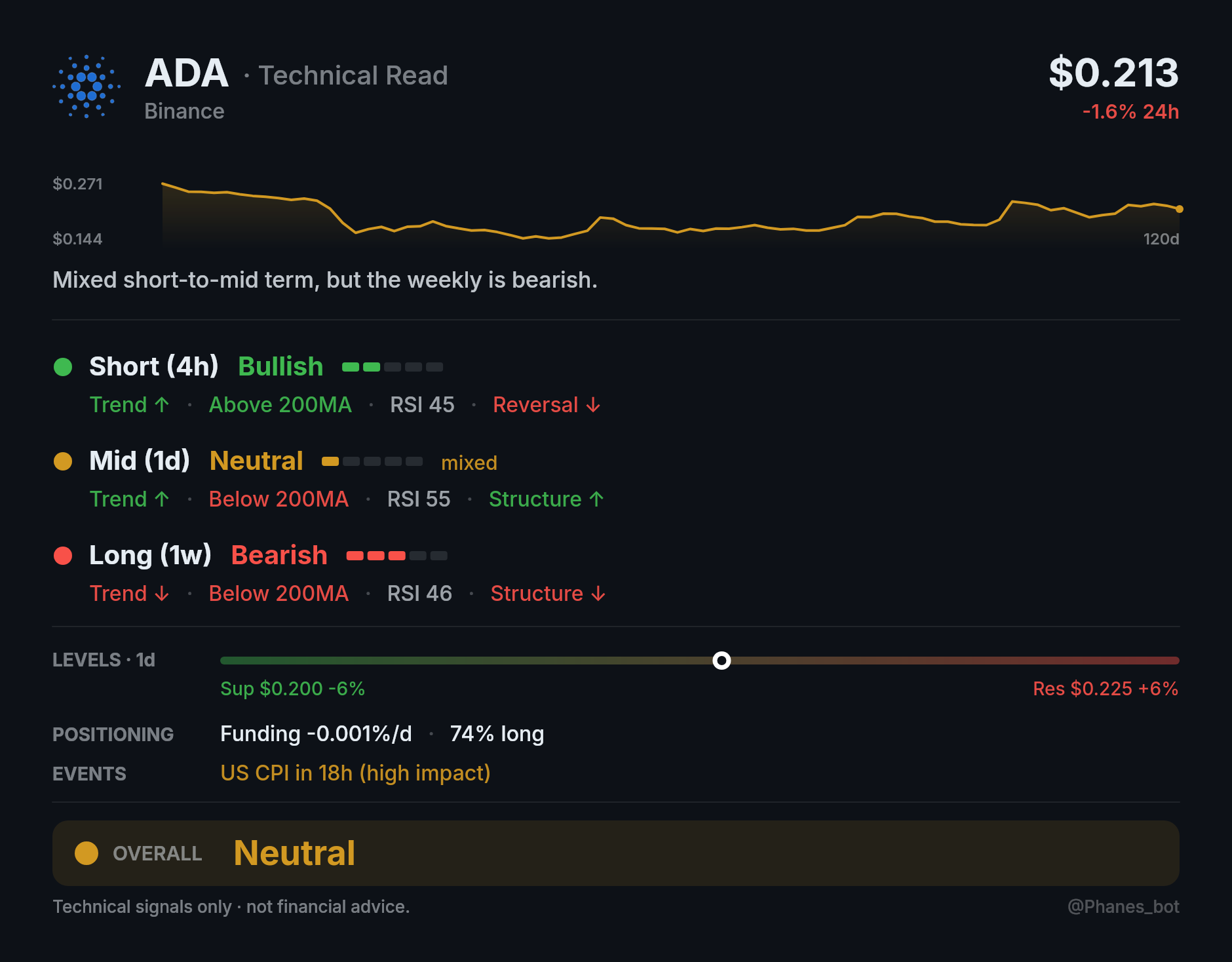
Each horizon — Short (4h), Mid (1d), and Long (1w) — is scored using a full technical indicator stack and classified as Bullish, Neutral, or Bearish, with a 1–5 conviction bar beside the stance so two Bullish rows of different strength don't look the same. A row marked mixed is one where SuperTrend and the 200MA disagree — the trend is turning, so it's held at Neutral.
- Trend — SuperTrend, price vs. 21/50/200 MAs, and golden/death crosses
- Momentum — RSI and RSI divergence
- Structure — Break of Structure (BOS) and Change of Character (CHoCH)
- Volume — Move confirmation through volume, tagged with the direction it confirms
The card also highlights:
- Takeaway — one sentence: the near-term lean, whether the weekly disagrees, and the main cautions
- Sparkline — the last 120 daily closes, with the window's high and low
- Key Levels — nearest support and resistance as a price bar, with the 0.618 Fibonacci tick when it sits between them. A coin at its highs shows an open-ended bar (
no resistance above) rather than no bar at all - Positioning — open interest, funding, liquidations, and long/short positioning
- Events — high-impact events expected within the next 48h
- Overall Verdict —
Bullish·Leaning Bullish·Neutral·Leaning Bearish·Bearish
A Bullish or Bearish verdict requires at least two horizons to agree. If only one horizon gives a strong directional signal, the overall verdict is classified as Leaning Bullish or Leaning Bearish.
/ta <symbol>
/ta btc/ta btc:binanceto pin a venue
Works for coins listed on Hyperliquid, Binance or Bybit — it reads exchange candles, so a contract address is not accepted. The venue is chosen the same way /c chooses it, and is shown under the coin name.
#Recycled X Accounts
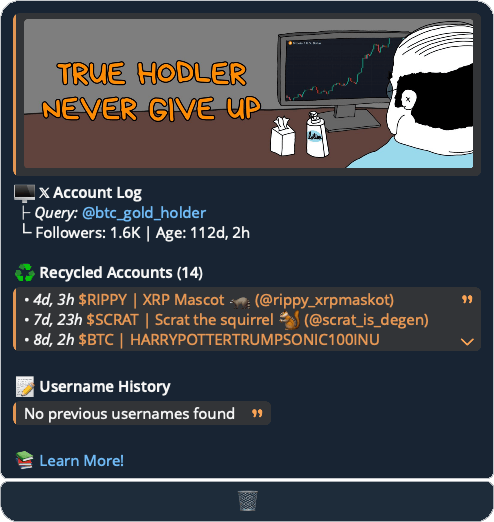
We manually track thousands of new X accounts every day and cross-check to identify any reuse.
Our tracking began in February 2024, so username changes made before that date are not detected.
/x <username>
/x elonmusk
- Recycled Accounts: sharing the same User ID, indicating a connection to the creator.
- Username History: is a list of past usernames, with no inherent connection between accounts.
- If available, we also display the associated contract address for each X account.
- Click on ⤴️ to view the details.
#Search Tokens
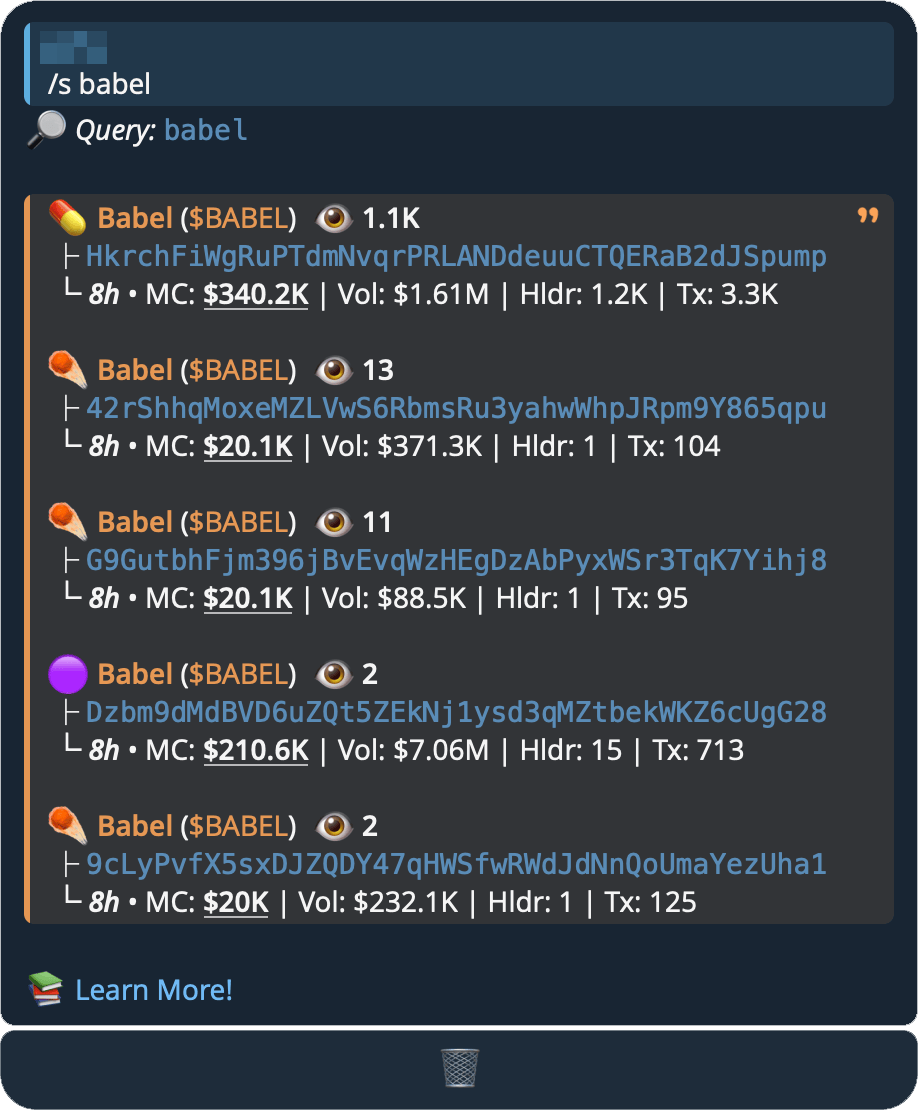
Search tokens by name or symbol. Returns 5 results by default, up to 10. Dead coins are excluded automatically.
/s <symbol/name> [sort] [count] [chain]
#Parameters
sort(optional):mcmarket cap ·vol24h volume ·holderholders ·txnsunique 24h transactions ·oldoldest coincount(optional): a number1–10(default 5)chain(optional): e.g.sol,eth,bsc
The three are order-independent — give any, all or none after the search term.
#Examples
/s lol→ search for"lol"/s wif 10→ search"wif", show 10 results/s rekt eth→ search"rekt"on the eth chain/s trump mc→ search"trump", sorted by market cap/s pump vol→ search"pump", sorted by 24h volume
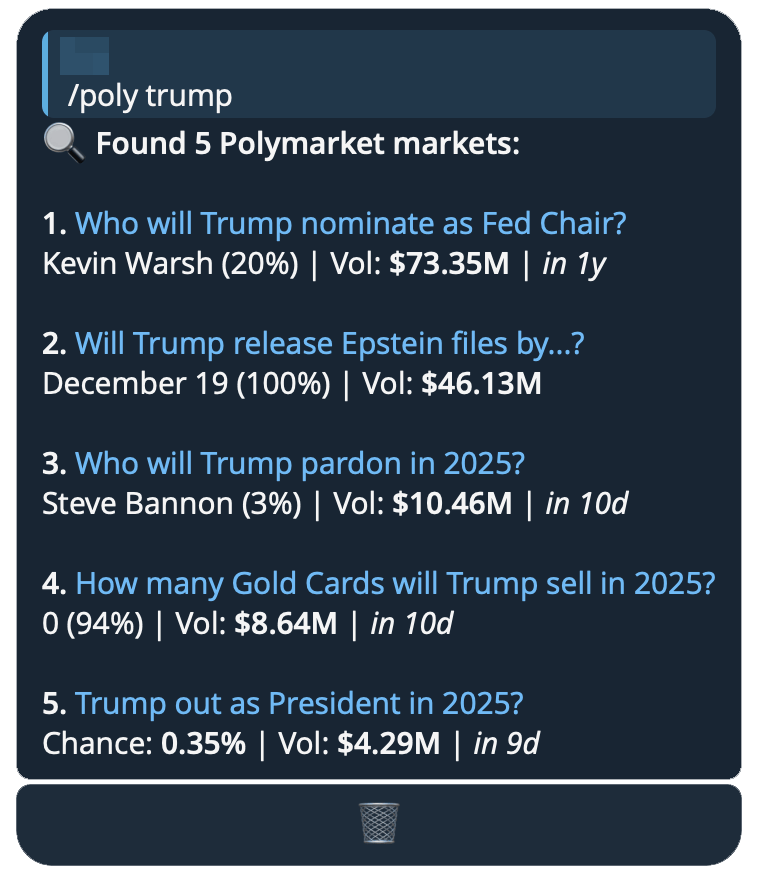
#Search Polymarket
Search for up to 10 Polymarket markets by name, sorted by highest market cap and displaying only active markets.
/poly <term>
/poly btc
#Heatmaps
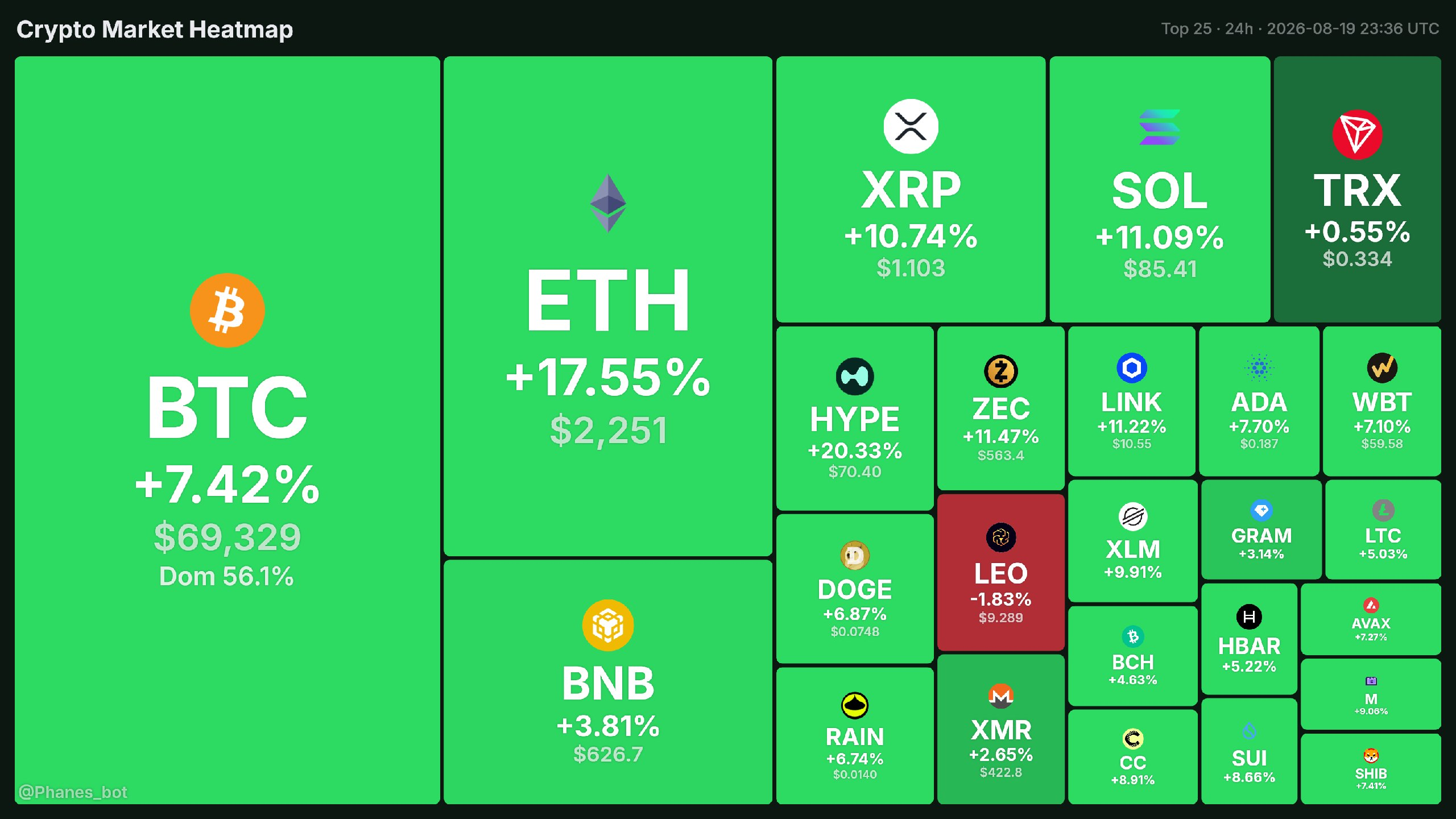
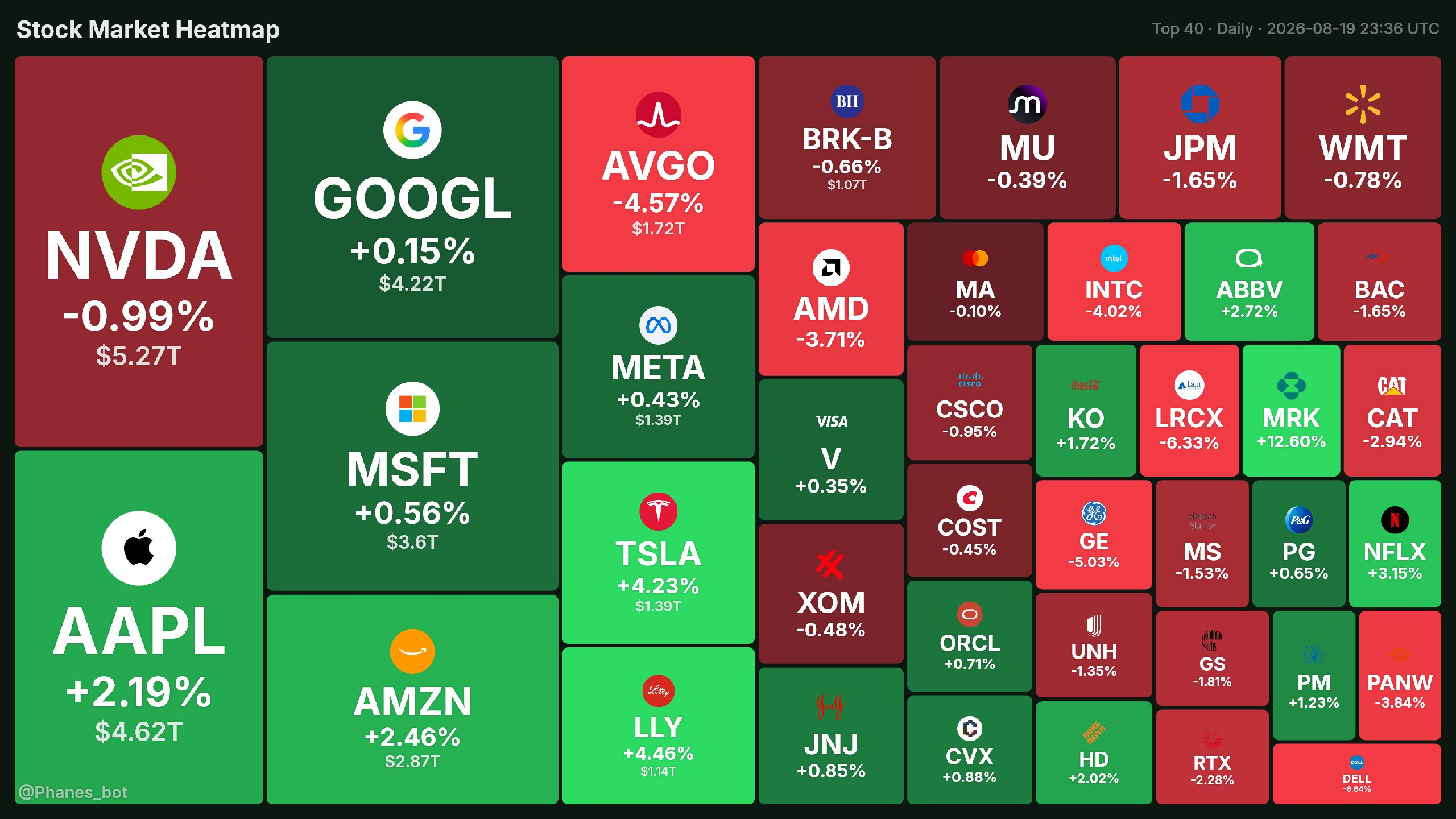
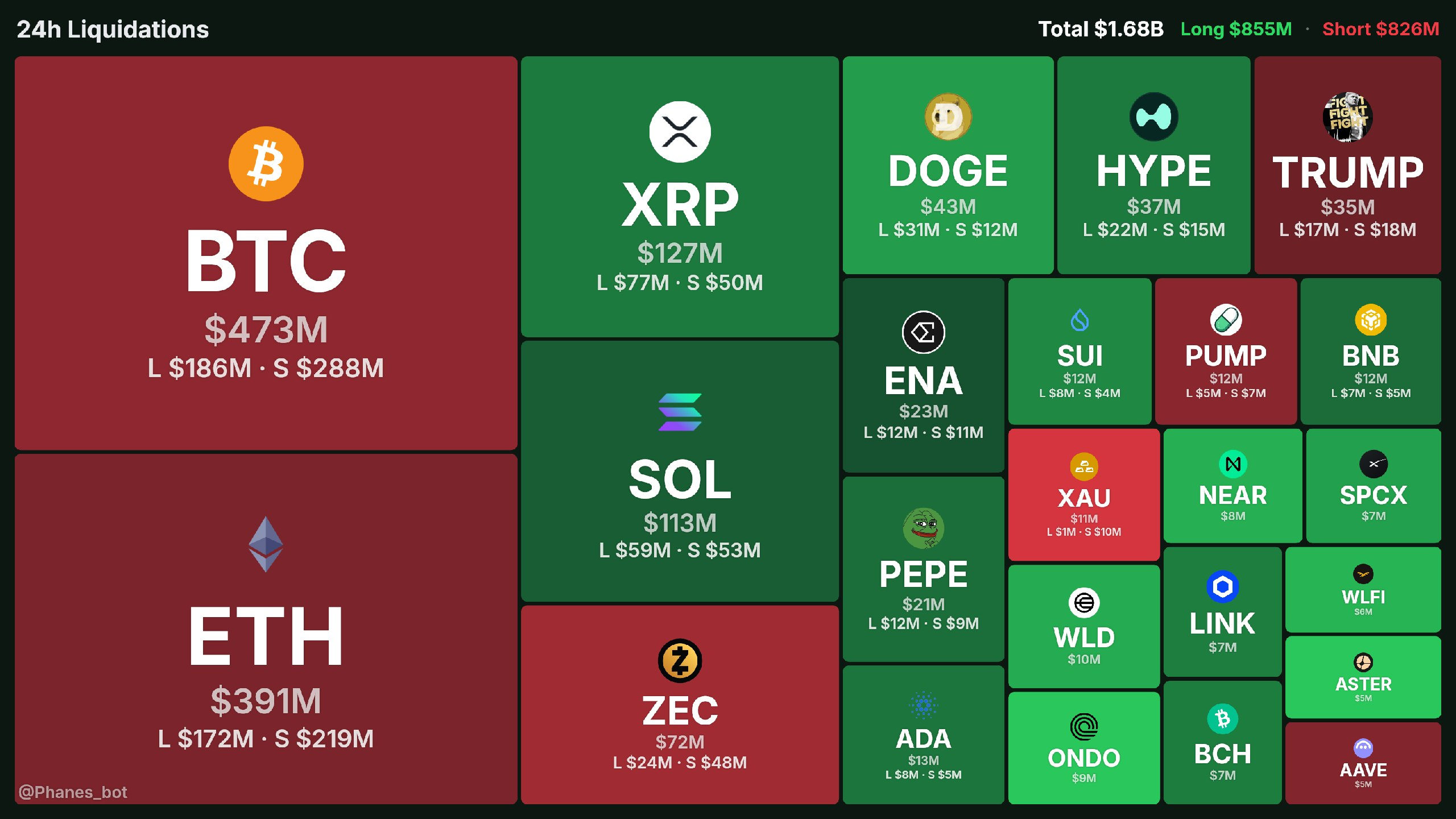
| Command | Heatmap of |
|---|---|
/hm |
The crypto market by market cap, excluding stablecoins and wrapped tokens |
/hmc |
Crypto sectors — the market split by category |
/hms |
The US stock market by market cap, coloured by the day's % change |
/rekt |
Futures liquidations — the most-liquidated coins over 24h (aliases /liq, /liquidations) |
/hm [count] [%]
/hmc
/hms [count] [%]
/rekt
#Parameters
These apply to /hm and /hms.
count(optional): number of tiles — coins for/hm(default 25, up to 100), stocks for/hms(default 40, up to 130)%(optional): sort by top gainers
#Examples
/hm 50/hm 100 %/hms/hms 30/hms 25 %
#Trenches
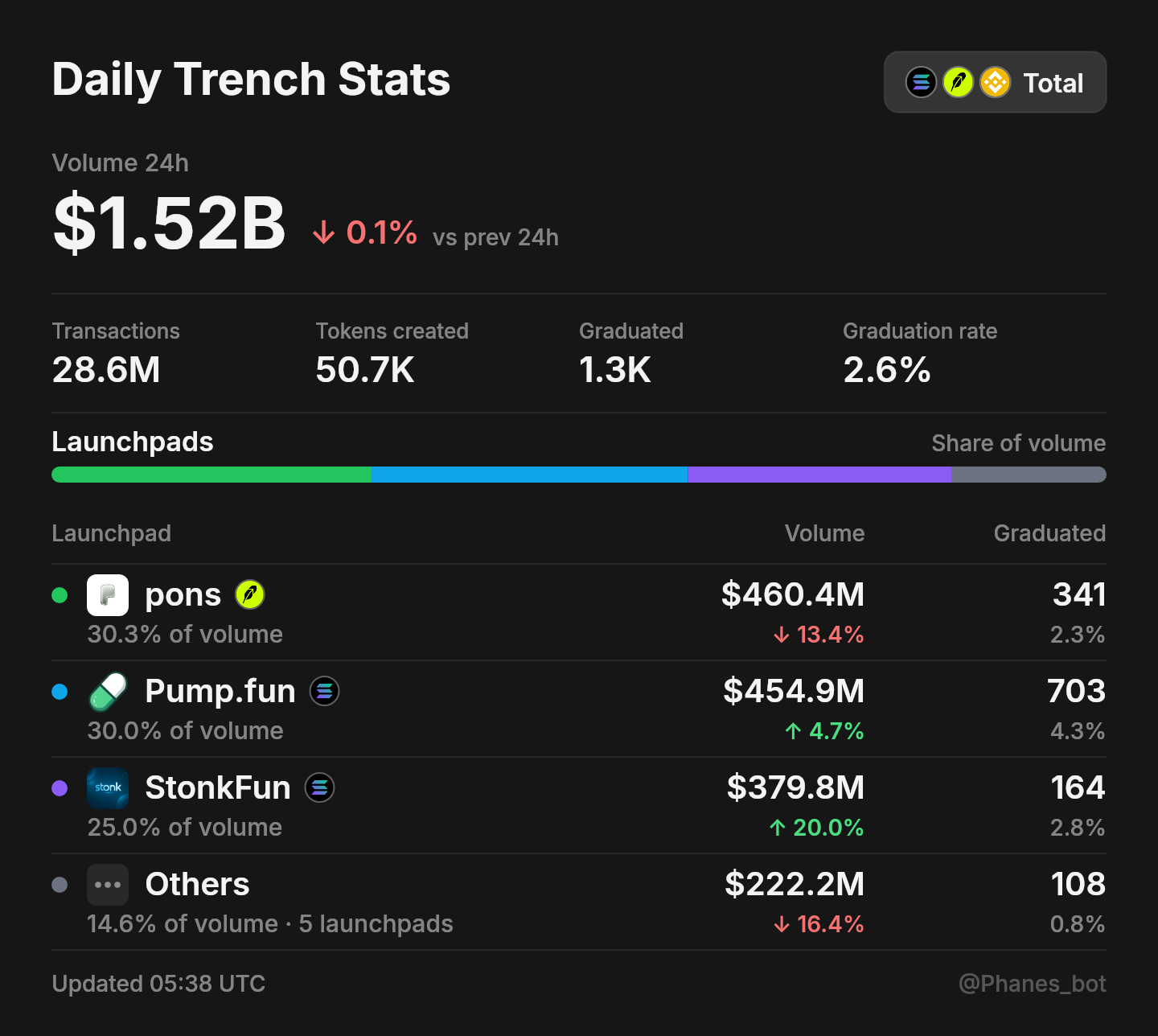
Daily launchpad activity as a card — how much volume each launchpad did over the last 24 hours, how many transactions it processed, how many coins it created, and how many of those graduated.
The card opens on Total, every chain added together. The buttons under it switch to a single chain, and the card is redrawn in place.
- Volume 24h — the chain's whole launchpad volume, and how it compares with the previous 24 hours.
- Transactions · Tokens created · Graduated · Graduation rate — the same window, summed over every launchpad on the chain.
- Launchpads — the three biggest by volume, each with its share, then everything else grouped into Others. The bar above the table is that split.
/tren [chain]
#Parameters
chain(optional):totalevery chain together (default) ·sol·rhRobinhood ·bsc. The buttons under the card switch between them, so you rarely need to type it.
#Examples
/tren/tren sol
#Community Take Overs
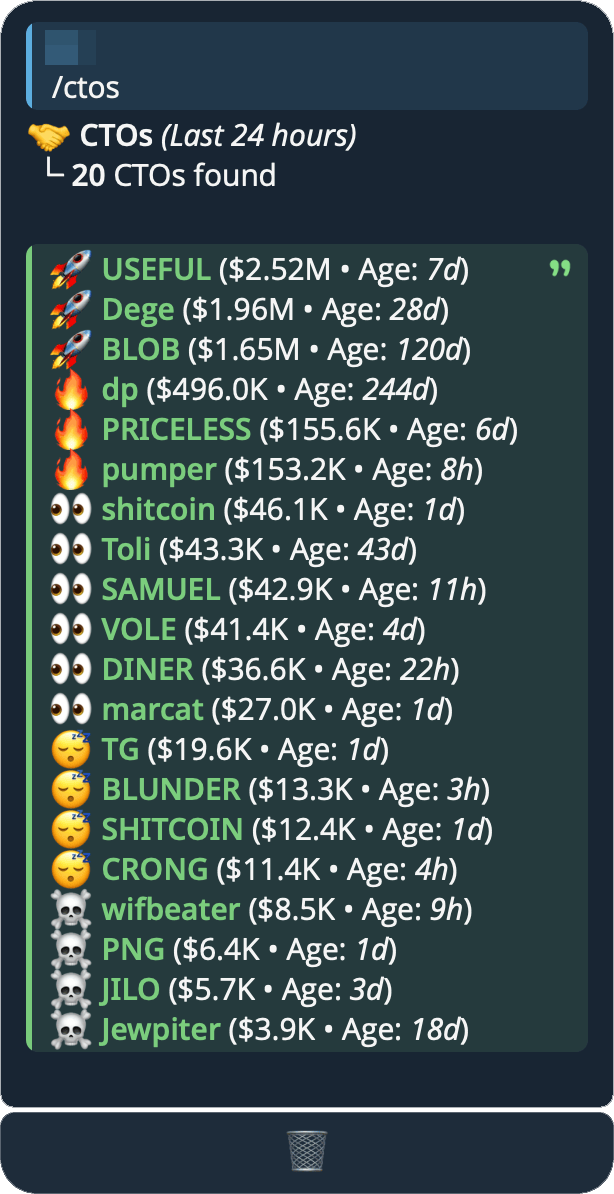
View CTO's from the last 24 hours.
/ctos [sort]
#Parameters
sort(optional):agemost recent CTO (default) ·mchighest market cap
#Examples
/ctos/ctos mc
#Runners
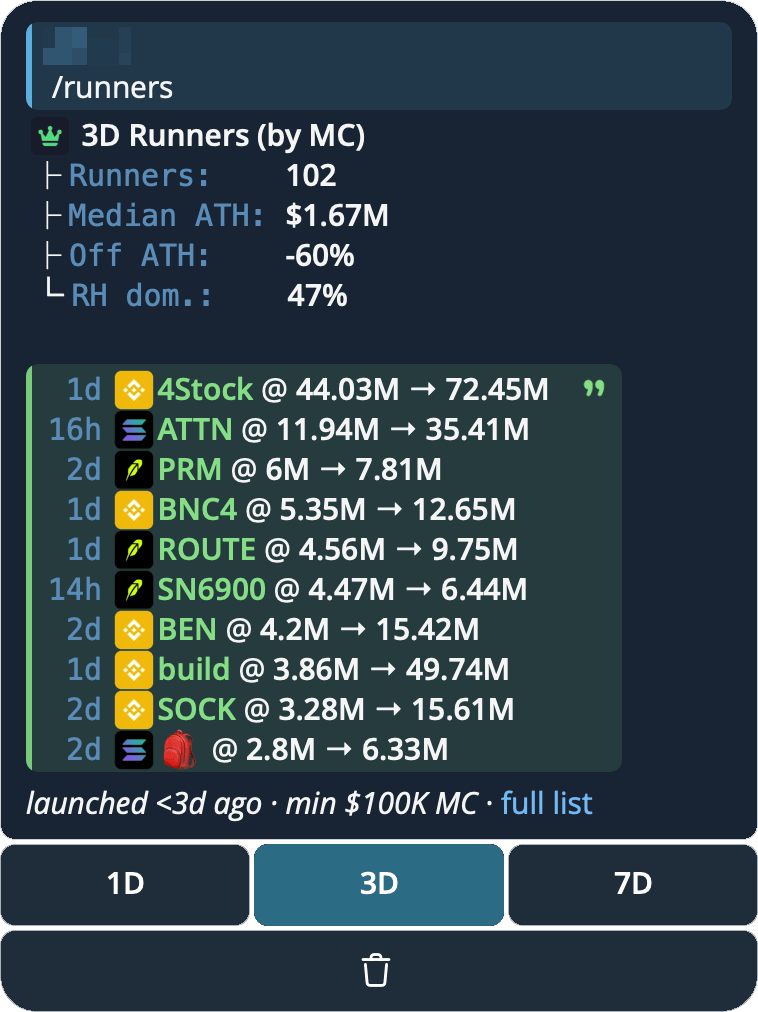
The biggest coins launched in the last day, three days or week — what each is worth now, and the peak it reached.
/runners [timeframe] [sort] [chain]
#Parameters
timeframe(optional):1d(default) ·3d·7dsort(optional): biggest market cap now (default), orathfor biggest peak reachedchain(optional, Telegram only):sol·eth·bsc·base·rh· any chain Phanes covers — shows only that chain
All are optional and order doesn't matter — /runners 7d ath and /runners ath 7d are the same thing. On Discord the timeframe and sort are dropdown options instead of typed words, and there is no chain filter.
Every row reads age · chain · ticker @ market cap now → peak. Tap a ticker to open it, or use the buttons under the list to switch timeframe. Switching keeps your sort and your chain, so a list opened with sol ath stays Solana-only and sorted by peak.
Filtering by chain recalculates the whole card — the runner count, the medians and the "off ATH" figure all describe that chain, not the whole window.
The same board is on the web at trending.phanes.bot/?view=runners. It shows every coin that qualified, not only the top ten, and you can sort by any column.
#Examples
/runners/runners 7d/runners ath/runners 3d ath/runners sol— Solana only/runners 7d bsc ath— BSC, last week, by peak
A coin has to be genuinely new and genuinely traded, so the list can't be filled with freshly minted noise:
- Launched inside the timeframe you asked for — the age of the token itself, not of a new pool opened on an older coin.
- At least $100K market cap.
- Real liquidity, volume and holders behind it. Without this, a token with a faked supply reporting billions would top every list.
The summary above the list — how many runners there were, the median peak, how far the typical one now sits below its own peak (Off ATH), and which chain launched the most — is counted over every coin that qualified, not only the ten shown.
#GitHub Repo Analysis
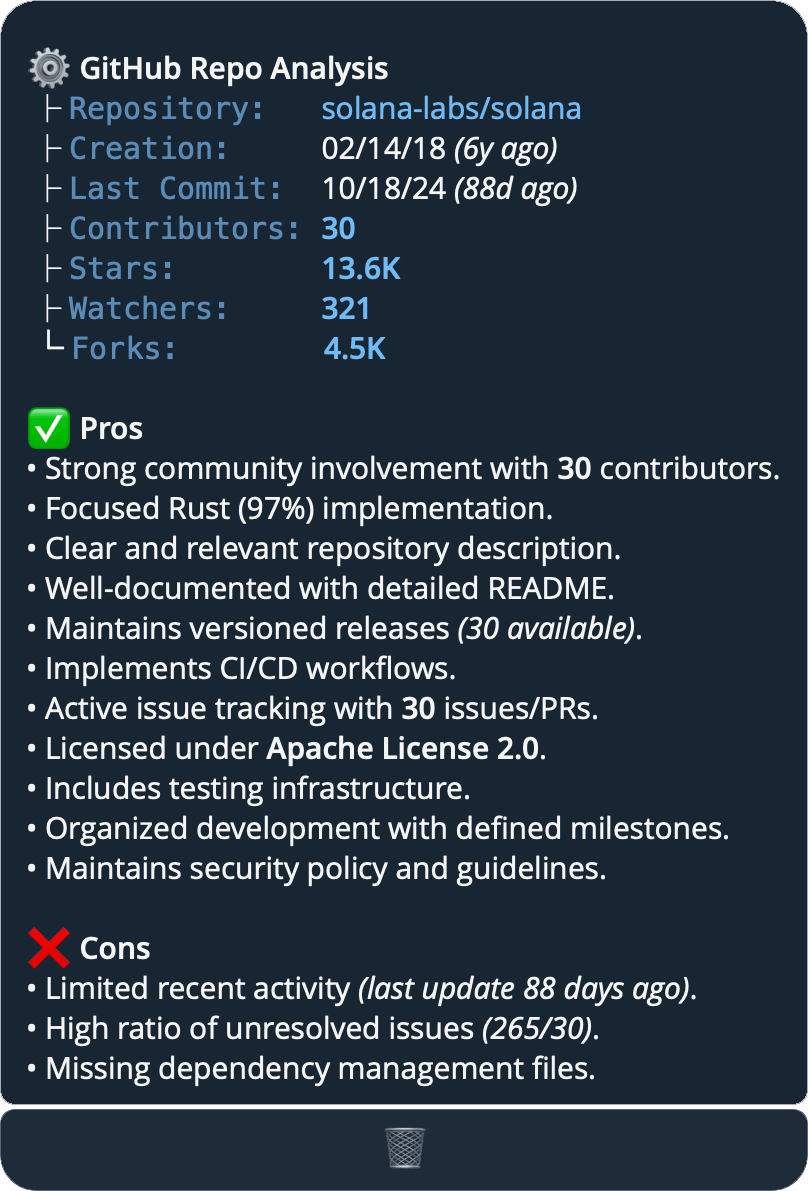
Analyzes GitHub repositories and provides detailed insights about their health and status.
Provides information about:
- Basic repository stats (stars, watchers, contributors, forks)
- Repository strengths (pros)
- Potential concerns (cons)
/gh <owner/repo>
/gh <url>
/gh solana-labs/solana
#Basic Repository Details
- Repository name, owner, and description
- Creation date and last update (with relative ages)
- Fork / archived badges when applicable
- Contributors, stars, watchers, forks, and open issues — all with direct links to their GitHub pages
- Primary languages (with % breakdown) and repository topics
#Repository Strengths
The tool identifies positive signals such as:
- Active development, including commit velocity (commits in the last 30 days)
- Strong community involvement
- Documentation quality
- Programming languages used
- Testing and security practices
- Project organization
- Release management, including how recent the latest release is
- Community engagement
- Organization backing and maintainer reputation
- A linked project website
#Potential Concerns
The tool flags issues including:
- Inactive or abandoned projects (and archived/disabled repos) (updated)
- Limited documentation
- Low community engagement
- Unresolved issues
- Poor code organization
- Missing important repository features (license, dependency manifests)
- Fork of another project rather than original work
- Empty repository / throwaway-style maintainer account
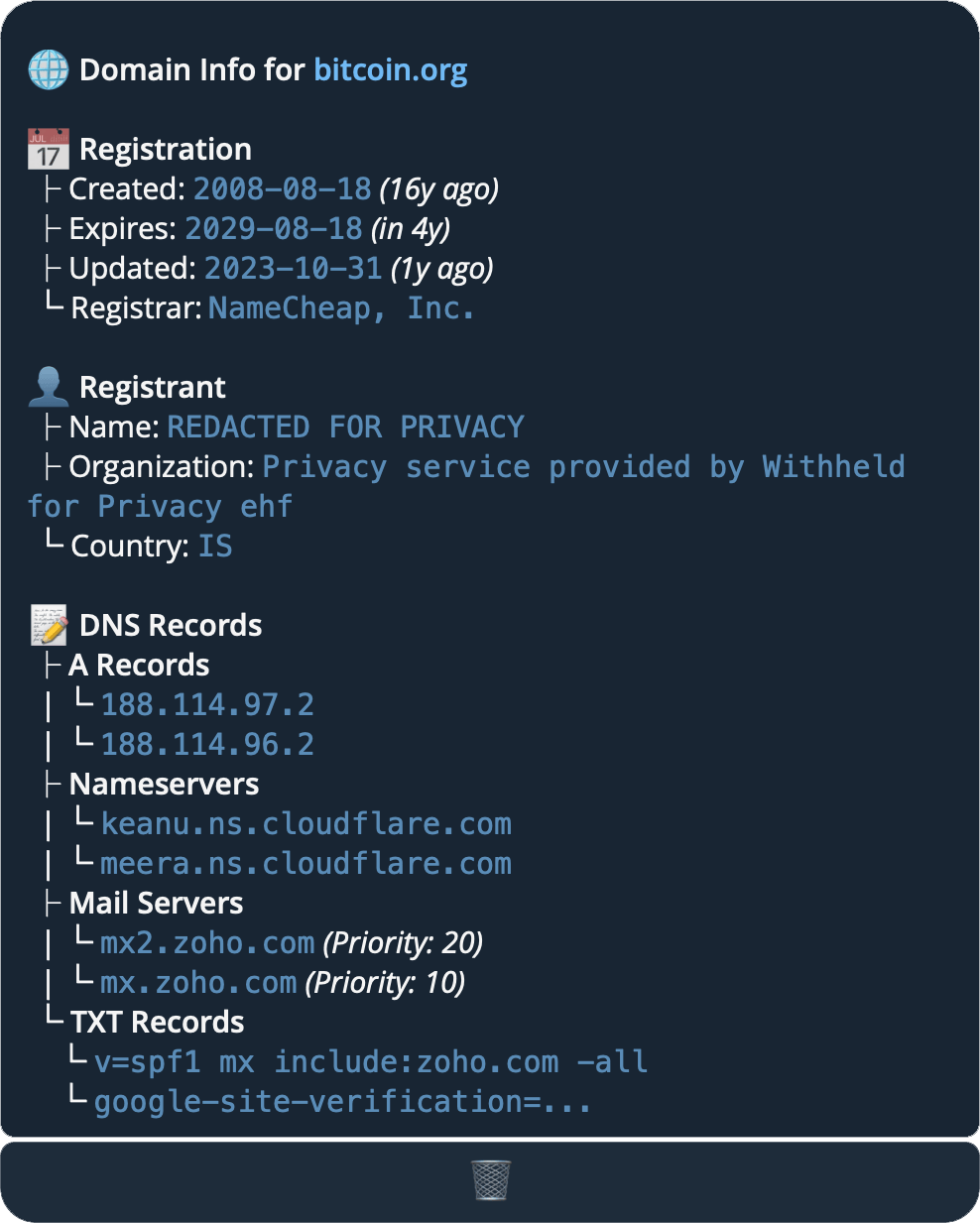
#Domain Lookup
Vet any website — usually a token's official site — from its public records. Phanes pulls the WHOIS registration (created / expires / updated / registrar / registrant) and the DNS records (A / NS / MX / TXT).
It's built for spotting the domains behind scams: a brand-new site, or an aged domain quietly bought and repurposed to slip past "new domain" filters.
/do <url>
/do bitcoin.org
Shown at the top of the reply when detected:
- ⚠️ On hold / lapsed — the domain is suspended (often after abuse reports) or expiring, per its WHOIS status.
- ⚠️ Aged but just changed — an old domain whose WHOIS was updated in the last 24h — the classic "repurposed to look established" tell.
#Dex Paid
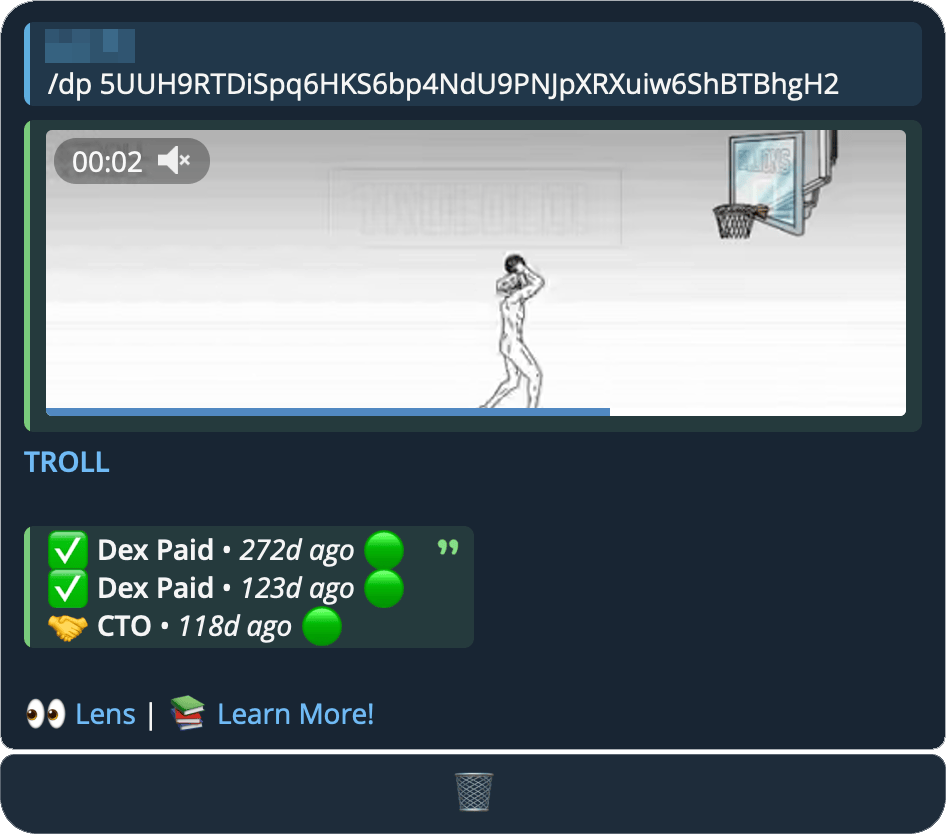
/dp <symbol/ca>
/dp wif
| Definition | |
|---|---|
| 🟢 | Order Confirmed |
| 🔴 | Order Cancelled |
| ⏳ | Order Processing |
| ✋ | Order On Hold |
#Narrative
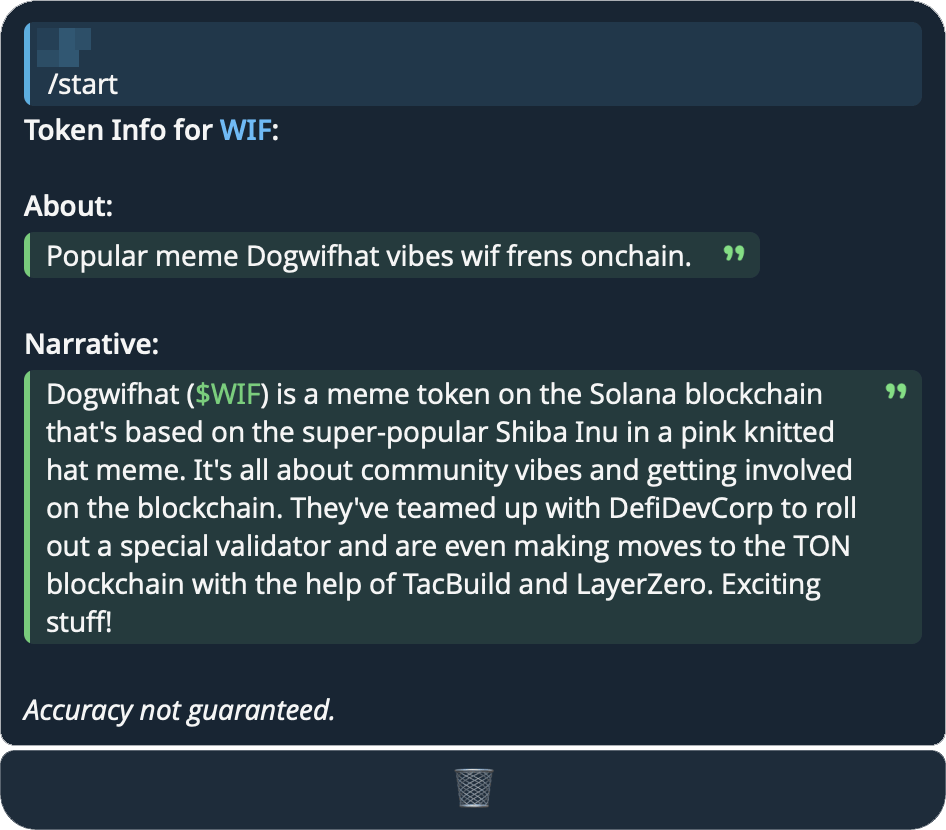
View the story behind a token - what it's about, why it was created, or any interesting background information. Returns a simple description of the token's purpose or origin.
May contain inaccuracies!
/nar <symbol/ca>
/nar wif/nar 0x6982508145454Ce325dDbE47a25d4ec3d2311933- Reply to any message holding a contract address and send
/naron its own
#Thesis
What holders on Fomo wrote about a token. Each thesis is attached to a real position, so it shows the size behind it and how that trade is doing.
Five theses, one per holder, most-liked first. Reply to a token card with /thesis to skip the address.
/thesis <symbol/ca> [new] [min size]
/thesis pons/thesis pons 100k/thesis pons 100k new
#Parameters
new(optional): newest first instead of most-likedmin size(optional): only holders that big —1k,$5k,100k,1m
Both are optional and order doesn't matter.
#Coin Socials
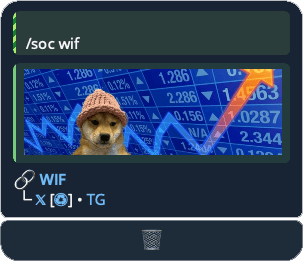
View the official social media links for any coin.
/soc <symbol/ca>
/soc wif
#Calendar
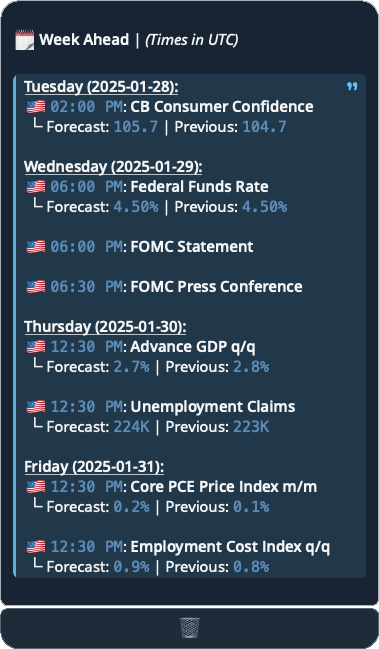
The Calendar command provides access to high-impact economic events.
/cal
#Earnings
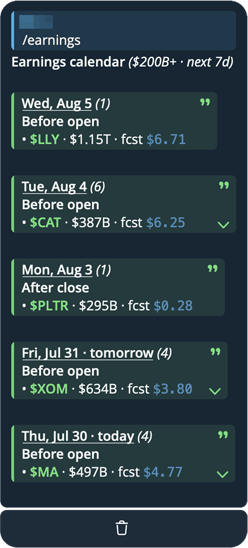
View the next 7 days of US mega-cap earnings ($200B+ market cap), grouped by day and split into Before Open and After Close.
/earnings
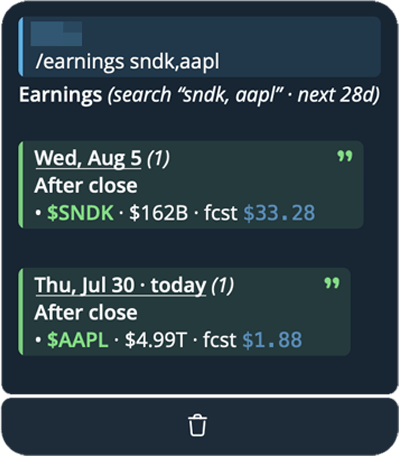
Search any company, any size:
/earnings aapl/earnings sndk,aapl
#Global Market Status
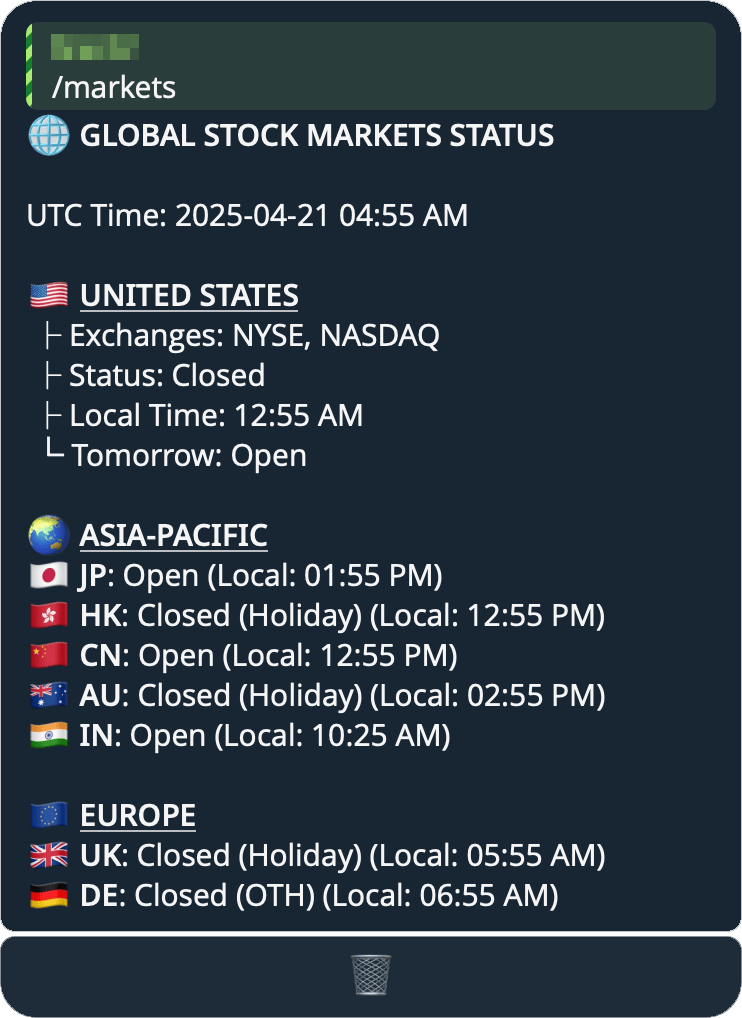
View real-time status of major stock markets around the world. Shows whether markets are open or closed, local times, and next-day trading status. Includes markets from the United States, Asia-Pacific (Japan, Hong Kong, China, Australia, India), and Europe (UK, Germany).
/markets
#News Summary
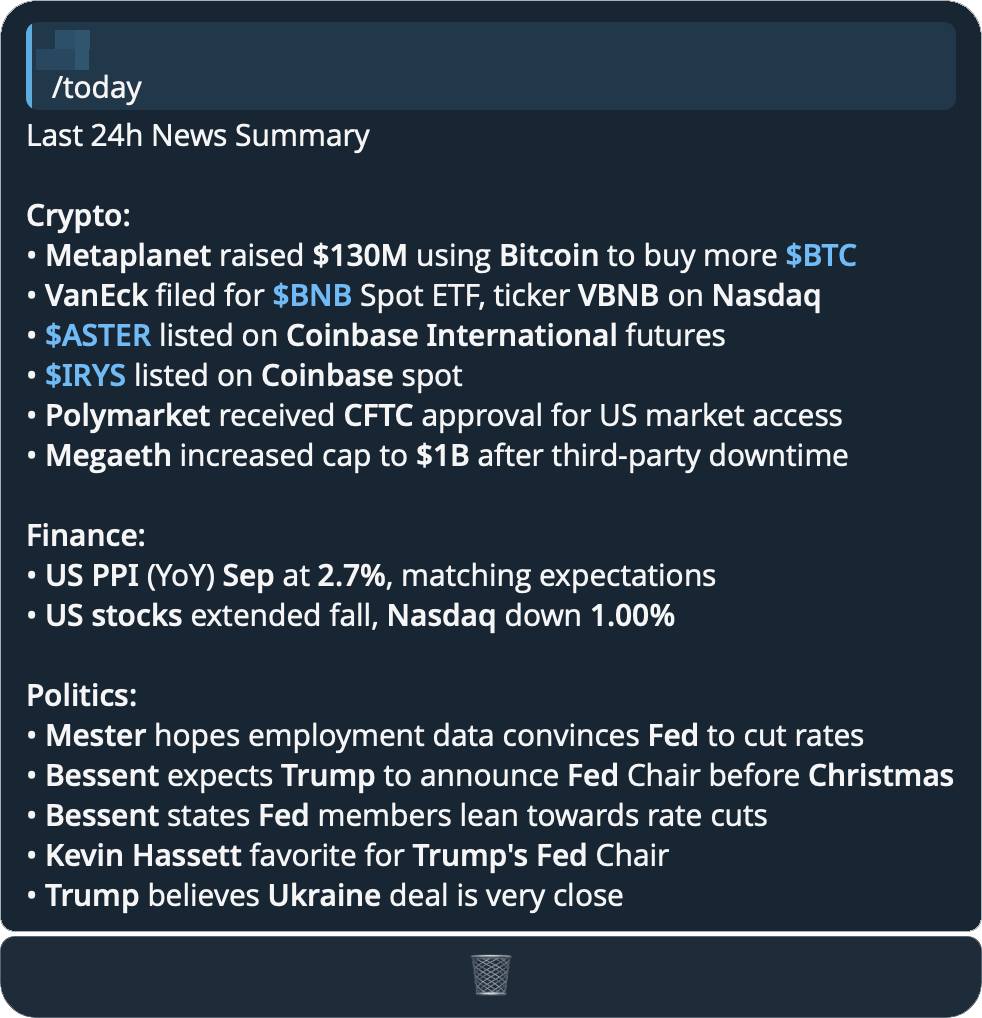
An AI-generated summary of recent market-moving news.
/today [hours]
hours(optional):1–24(default 24)./newsis an alias. On Discord, use the/newsslash command with the samehoursoption./today 12h
#Summarize/Translate
Summarize or translate any text, web article, or YouTube video. The /tldr command (alias /sum) uses AI to create a concise summary, while /tr translates text into any language. All commands work on direct input, a link, or a replied-to message.
/tldr <text>,/sum <text>, or reply to a message — summarize text/tldr <link>— summarize a web article (paste any article URL and it reads the page for you)/tldr <youtube link>— summarize a YouTube video from its transcript, with clickable timestamps to jump to each point/tr <text>— translate to English- Set a different target language by adding
-<lang>at the end of your message (e.g.-es,-de,-th)
- Set a different target language by adding
/tldr https://www.bbc.com/news/...— summarize a news article/tldr https://youtu.be/dQw4w9WgXcQ— summarize a video (with timestamped highlights)- Reply to a long message with
/tldr /tr Hola mundo→ Hello world/tr Hello world -es→ Hola mundo
#Value Calculations
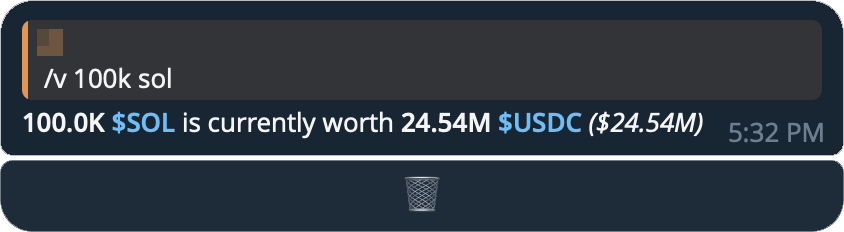
Phanes can calculate and convert the value of pretty much any coin.
/v <amount/%> <symbol/ca>
/v 1b pepe/v 2.5 eth/v 1% pepe— a%values that share of the supply/v pepe 1%— either order works- Reply to any message holding a contract address and send
/v 1m
#Simple Price Queries
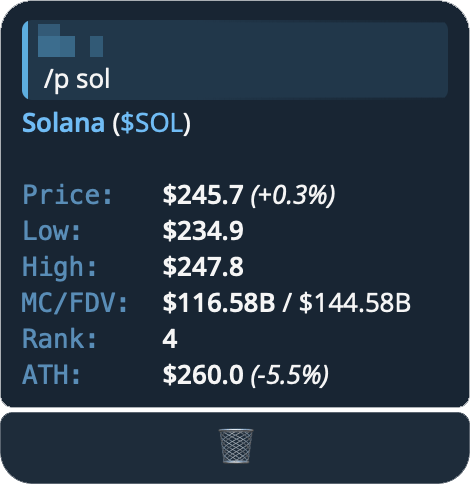
We also provide a simplified price query option, which presents a cleaner interface and is powered by CoinGecko
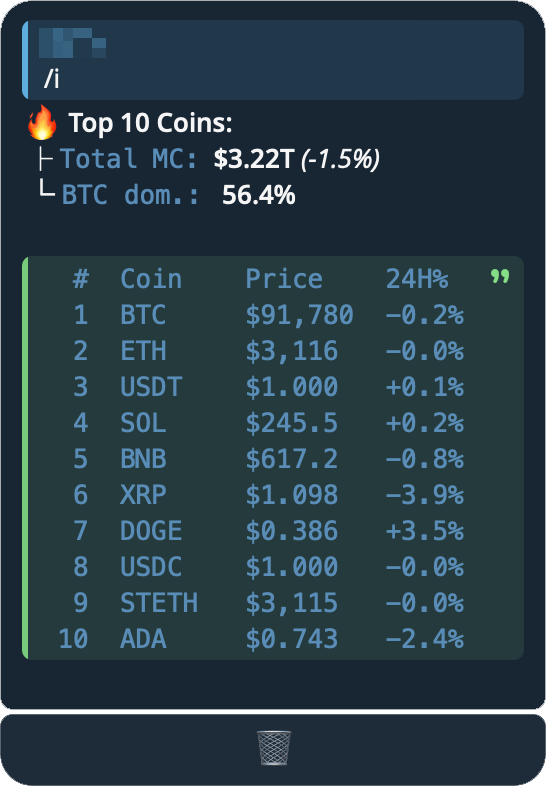
/p btc/i: Get the top 10 coins (by market cap)
#Top Traders
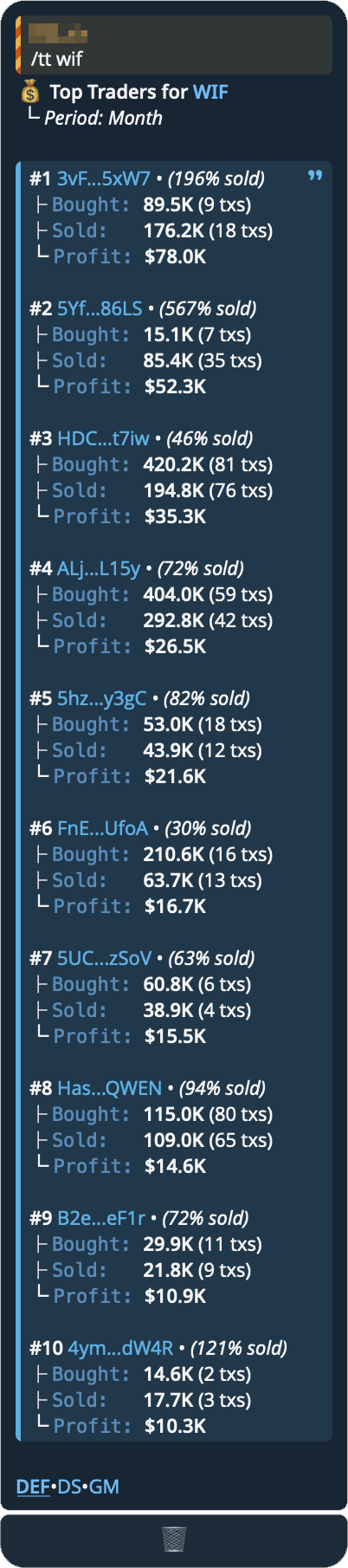
Displays the top performing traders for a specific token over a selected time period, showing their trading statistics and realized profits.
- You can access Wallet Stats by clicking on the ⓘ icon.
/tt <symbol/ca> [period]
- Available periods:
d, w, mo, y/tt wif mo/tt 0xa43fe16908251ee70ef74718545e4fe6c5ccec9f
#Wallet Stats
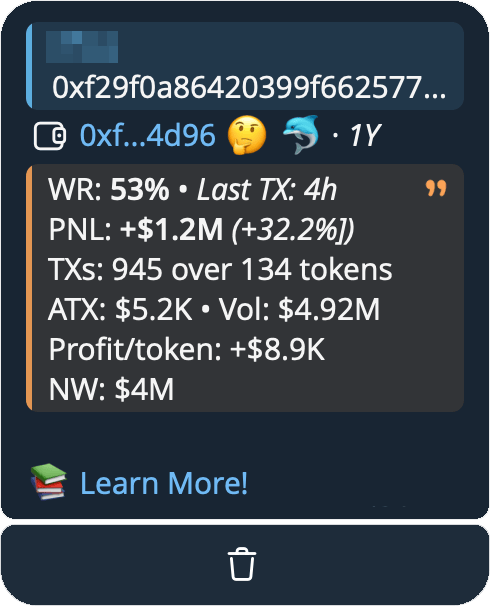
Provides comprehensive trading analytics for any wallet address across 50+ chains, including detailed performance metrics and trading statistics over various time periods.
/c CA WALLET shows each trade on the chart
/ws <wallet>
/ws DNfuF1L62WWyW3pNakVkyGGFzVVhj4Yr52jSmdTyeBHm
| Emoji | Definition |
|---|---|
| 🎯 | Sniper |
| 🐦 | Smart Trader (tokens under 2d) |
| 🌊 | Smart Trader (tokens over 2d) |
| 🤔 | Interesting |
| 🐋 | Mega Wealthy |
| 🐬 | Medium Wealthy |
| 💰 | Wealthy |
#Deployer
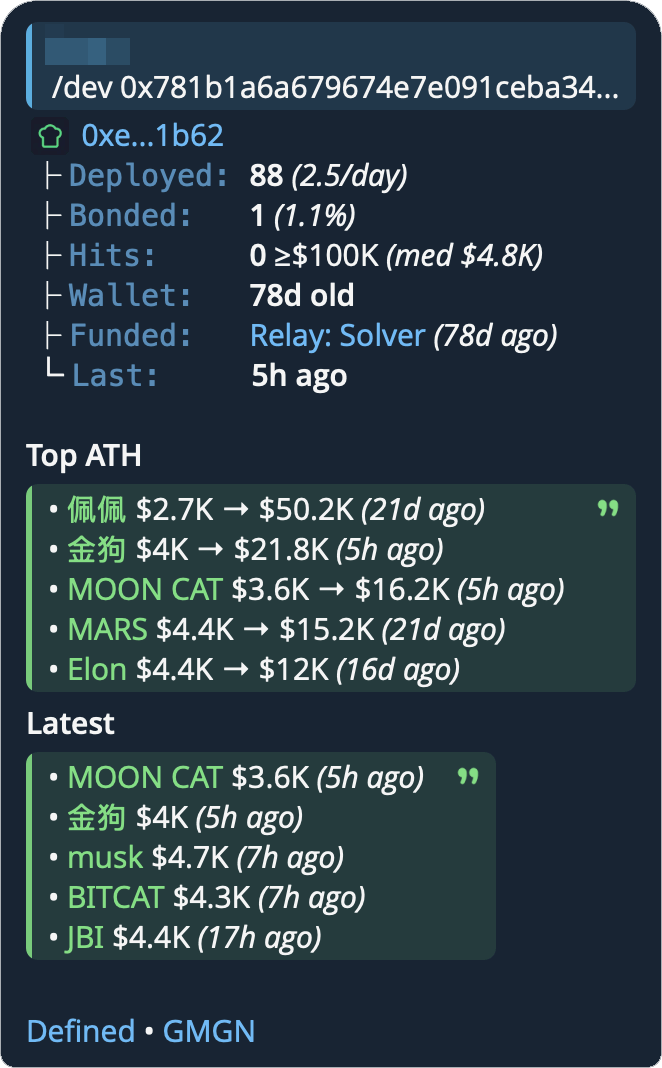
Look up the wallet that created a token, and its whole launch record — how old the wallet is, who funded it, how many coins it has deployed, how many of them bonded, and its biggest hits.
/dev <symbol/ca>
/dev wif/dev 0x6982508145454Ce325dDbE47a25d4ec3d2311933- Reply to any message holding a contract address and send
/devon its own
#What it shows
- Deployed — how many tokens this wallet has ever created, and its launch rate over the last 30 days
- Bonded — how many of its launchpad tokens migrated to a DEX, and their share of all its launches. Hidden when there is no launchpad data for the wallet
- Hits — how many of its launches ever reached a $100K market cap, with the median all-time high across all of them
- Wallet — how old the deployer wallet is
- Funded — the wallet that first funded this deployer, named when we recognise it (an exchange, a bridge, a known entity)
- Last — when the wallet last launched a coin
- Top ATH — its biggest coins, each with the current market cap, the all-time high, and when that high was set. An ATH of $1M or more is highlighted
- Latest — its most recent launches, each with its age
Supported chains: Solana, Ethereum, BSC, Base, Arbitrum, Optimism, Polygon, Avalanche, HyperEVM, Monad, Robinhood, Unichain, Berachain, Abstract, Story, MegaETH.
A deployer can only be looked up where the chain records who created a token. On chains that don't, the coin card shows no deployer to open.
#Quick Task Button
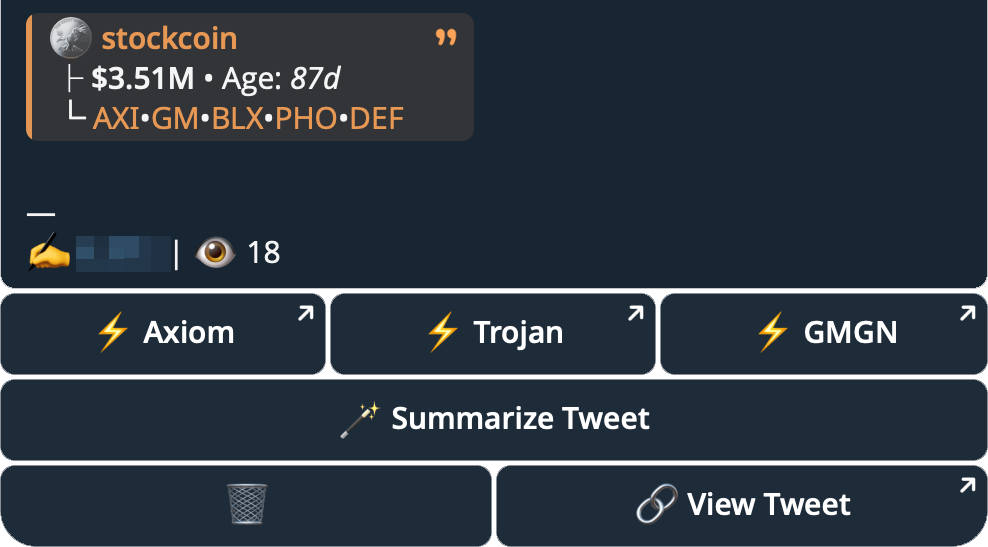
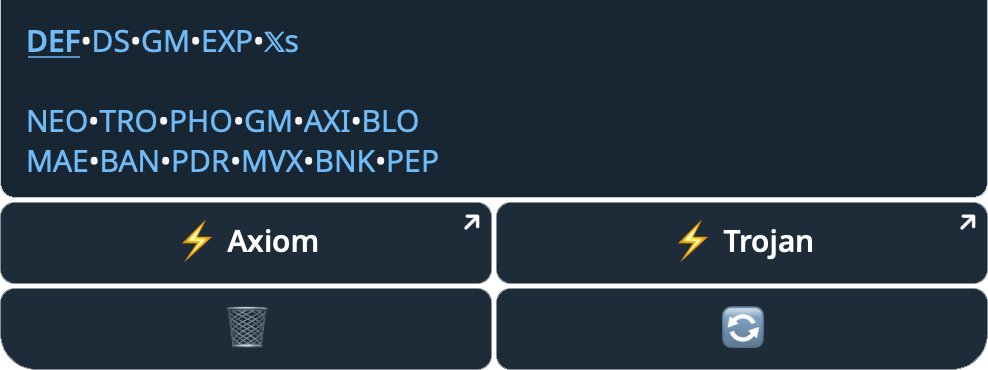
Set a custom Quick Task Button for all price queries, /th, /tw commands, and Tweets in your group and/or Phanes DM's. You can choose up to 6 different providers.
/qt
On Discord, pick them in /settings. They show under price queries and on alerts.
Supported providers & chains
| Provider | Provider ID | Supported Chains |
|---|---|---|
 GMGN GMGN |
gm or gm_tg |
         |
 AXIOM AXIOM |
axi |
|
 Trojan Trojan |
tro |
|
| Trojan Terminal |
trt |
|
 Terminal Terminal |
trm |
|
 Maestro Maestro |
mae or maep (Maestro Pro) |
     |
 Bloom Bot Bloom Bot |
blo |
|
 FOMO FOMO |
fmo |
|
 OKX OKX |
okx |
  |
 Based Bot Based Bot |
bsd |
   |
 Sigma Bot Sigma Bot |
sig |
 |
 Banana Gun Banana Gun |
ban |
|
 Cove Cove |
cov |
|
 Pepe Boost Pepe Boost |
pep |
|
 BONKbot BONKbot |
bnk or bnk_tel |
|
 Sol Trading Bot Sol Trading Bot |
stb |
|
 MevX MevX |
mvx |
|
 Photon Photon |
pho |
 |
 Ave Bot Ave Bot |
ave |
|
 BullX BullX |
blx |
|
| BullX NEO |
neo |
|
#Custom Filters
Map a $symbol to a specific contract, so when you type that symbol Phanes uses your token instead of whatever the market returns for that ticker. Handy for pinning a project's token to its cashtag. It applies to both price queries ($btc) and charts (/c btc).
Filters are scoped: one you set in Phanes DM works only in your DM; one set in a group works only in that group — a personal DM filter never fires in a group. In groups, only admins can add, remove, or clear filters. You can keep up to 20 filters per scope.
/fix add <symbol> <contract>
/fix del <symbol>
/fix
/fix add btc 0x123…— map$btcto that contract./fix del btc— remove a mapping./fix— list your mappings, with a Clear all button.
#Language
You can change the bot’s interface language.
This feature is still in progress, so not all queries or messages may be translated yet.
/lang
This command works in DM and Groups.
- 🇬🇧
en: English - 🇷🇺
ru: Russian - 🇮🇩
id: Indonesian - 🇨🇳
zh-cn: Chinese (Simplified) - 🇨🇳
zh-tw: Chinese (Traditional) - 🇻🇳
vi: Vietnamese - 🇯🇵
ja: Japanese - 🇰🇷
ko: Korean - 🇹🇷
tr: Turkish - 🇩🇪
de: German - 🇮🇳
hi: Hindi - 🇪🇸
es: Spanish - 🇵🇹
pt: Portuguese - 🇹🇭
th: Thai - 🇮🇹
it: Italian - 🇫🇷
fr: French - 🇸🇦
ar: Arabic - 🇵🇱
pl: Polish - 🇳🇱
nl: Dutch
#Group Commands
In Groups you are able to further fine-tune Phanes. Everything is admin-only, and the reply is a private whisper only the admin who ran it can see.
#Commands
| Command | What it does |
|---|---|
/settings | Open the settings panel — everything below lives here. |
/lang | Set the group's interface language. |
/qt | Choose the Quick Task buttons shown under a query. |
/xret | Pick which X-return milestones alert. |
/xfeed | Follow X handles for tweet alerts. |
/yt | Manage YouTube video alerts. |
/pnlbg | Set a custom PNL card background. |
#Settings
/settings opens a panel of on/off toggles, in two sections. Hover a name for what it does.
On Discord, /settings shows ten of these: Cashtags, Contracts, X Links, Poly/Kalshi, TikTok, Instagram, Charts, DApp, Banner and Detailed. Discord alerts are set up in /alerts.
#General
| Setting | What it does |
|---|---|
| Contracts | Listen to contract addresses posted in chat. |
| Cashtags | Listen to $cashtags posted in chat. |
| X Links | Unwrap X links into readable embeds. |
| X Translate | Auto-translate unwrapped tweets into the group's language. |
| TikTok | Unwrap TikTok links. |
| Unwrap Instagram links — posts, Reels and IGTV. | |
| Poly/Kalshi | Unwrap Polymarket and Kalshi links. |
| Charts | Include a chart image in queries. |
| Banner | Show the dex-paid banner in queries. |
| Buttons | Show the action buttons under queries. |
| Short CA | Shorten contract addresses in queries. |
| Compact | Compact queries — less noise. |
| Detailed | Detailed queries — more info. |
| DApp | Expose the group on the Phanes DApp. |
| LB Only | Leaderboard only — every query is shown once. |
| Allow ELB | Let non-admins export the leaderboard. |
| Admin Only | Only admins may query prices (make calls). |
#Alerts
| Setting | What it does |
|---|---|
| X Returns | X multiplier alerts when a call hits a milestone. |
| Migrations | Migration alerts when a call bonds to a DEX. |
| DEX Paid | Dex Paid alerts when a call pays for DexScreener. |
| CTOs | Community Take Over alerts. |
| X Feed | Master switch for the live tweet feed. |
| YouTube | YouTube video alerts for followed channels. |
| News | News alerts. |